Shop professional dictation workflow software and cloud subscriptions for authors, typists and teams creating, sending and transcribing dictation audio.
Choose from cloud dictation and transcription platforms such as SpeechLive and ODMS Cloud for flexible access for authors and typists, or on-premise, installed software such as ODMS Pro and SpeechExec for a classic office-based dictation and transcription setup.
Dictation workflow software manages the path from recorded dictation to transcribed document. It controls how dictations are created, sent, received, transcribed, reviewed and managed between authors, typists and support teams.
Authors may create dictations using compatible digital recorders, dictation microphones, desktop software, browser-based tools or mobile app options, depending on the platform. Typists and transcriptionists use transcription software to receive jobs, control playback, prepare documents and return work to the author.
Options for integrating automatic speech-to-text recognition software are available for most dictation and transcription workflow solutions. Speech recognition significantly reduces the turnaround time for document creation, whilst still allowing users to format and proofread the transcribed text for quality control.
The right choice depends on cloud vs installed software, number of users, author and typist roles, recorder compatibility, file routing, operating system and licence type. If you need to understand the full solution before buying, visit our Dictation & Transcription Workflow Solutions page.
Cloud dictation workflow
For teams that want browser access, central administration and flexible author or typist access depending on the platform. Options may include Philips SpeechLive and OM SYSTEM ODMS Cloud.
Installed dictation software
For users who prefer desktop software or need to support compatible recorders, local workstations and existing dictation environments. Options include Philips SpeechExec and OM SYSTEM (Olympus) ODMS Pro.
Author and typist licences
On-premise solutions such as SpeechExec and ODMS Pro require you to select the right license based on the user's role - Dictate licenses are for the author, and Transcribe licenses are for the typist. Cloud and Enterprise solutions, such as SpeechLive, SpeechExec Enterprise, and ODMS Cloud, have universal licenses that can be changed based on the active user.
Cloud vs installed dictation workflow software
Cloud and installed dictation software can both support professional dictation and transcription, but they suit different environments. The best choice depends on how your authors record, how your typists work, and whether you need browser access, local desktop software or compatibility with existing hardware.
Cloud workflow solutions
Best for users and teams that need remote access, centralised administration, and mobile dictation. Cloud dictation and transcription solutions, such as SpeechLive, require less ongoing IT support and no server infrastructure. Cloud solutions are Windows and Mac-compatible.
On-premise desktop software
Best for users who need software physically installed on a Windows workstation. Check operating system and hardware compatibility.
Not sure which one fits?
If you are replacing older software, moving from Olympus to OM SYSTEM, adding typists or deciding between SpeechExec, SpeechLive, ODMS Pro and ODMS Cloud, ask VoiceX before purchasing.
Popular dictation workflow software options
These platforms are commonly used by legal, medical, professional services and administration teams that need a structured way to manage recorded dictation and transcription. Product names, licence options and inclusions can vary, so check the specific product listing before ordering.
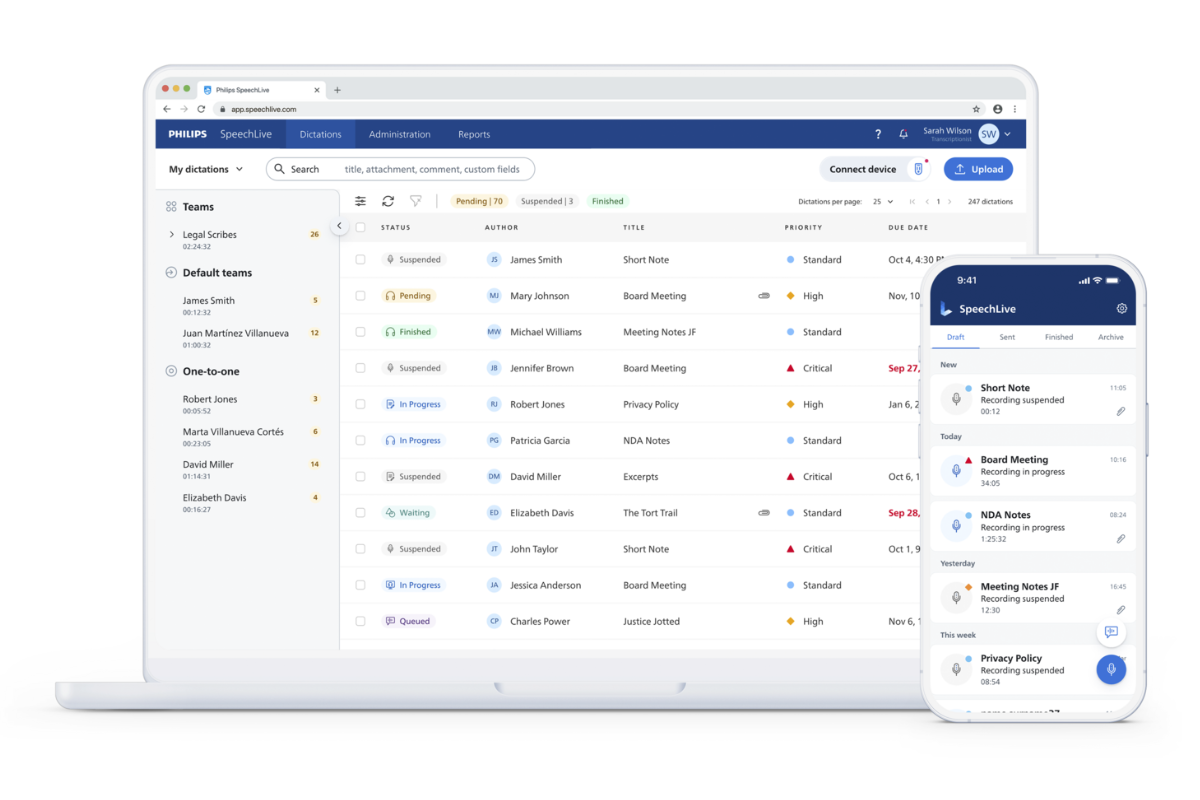
Philips SpeechLive
Cloud-based dictation and transcription workflow for authors, typists and teams. Suitable for users who want cloud access and flexible dictation options, with add-ons available depending on plan and region.
Professional locally installed dictation and transcription workflow software, including author and typist options such as SpeechExec Pro Dictate and SpeechExec Pro Transcribe and the self-hosted, centrally managed SpeechExec Enterprise.
Locally installed dictation and transcription software, ODMS PRO by OM SYSTEM (formerly Olympus), is ideal for sites using the latest OM System dictation hardware.
Cloud-based dictation and transcription management from OM SYSTEM. A suitable option for small teams wanting to manage dictation and transcription through a cloud platform in conjunction with recent Olympus and OM SYSTEM dictation hardware.
Before purchasing dictation workflow software or a cloud subscription, check the practical details that affect day-to-day use.
If you are replacing older Olympus, OM SYSTEM or Philips software, do not assume a new licence will match your existing setup without checking compatibility. Contact our team for advice.
Author and typist user roles
Cloud vs installed software
Recorder and microphone compatibility
Operating system requirements
File types and routing needs
Support, onboarding or installation
Related dictation and transcription products
This category is for purchasing workflow software and subscriptions. If you are building a full setup, these related Shop categories can help you find the right hardware and accessories.
Dictation Recorders
Shop professional portable recorders for authors who need to capture dictation clearly.
Need help choosing between SpeechLive, SpeechExec, ODMS Pro and ODMS Cloud?
VoiceX can help you choose the right dictation workflow software or cloud subscription based on your authors, typists, recorders, operating system, licence requirements and support needs.