Call Us: 1300 551 778
Australia & New Zealand's Largest Range of Medical Speech Recognition Solutions
Let VoiceX help you compare medical speech recognition solutions to see what best suits how you work, where you work and your budget. From the gold standard Dragon Medical One and the powerful, all-in-one dictation, transcription and speech recognition solution SpeechLive + Dragon Medical One to simpler and more cost-effective offerings from Speech Direct and Lexacom Echo.
| Feature | Dragon Medical One | Dragon Medical One for Mac | Dragon Medical One + SpeechLive | Speech Direct | Lexacom Echo |
|---|---|---|---|---|---|
| Real-time speech recognition direct into your application | ✓ | ✓ | ✓ | ✓ | ✓ |
| Specialist medical vocabulary | ✓ | ✓ | ✓ | ✓ | ✓ |
| Custom vocabulary, auto-text and voice commands | ✓ | ✓ | ✓ | ✓ | ✓ |
| Native macOS access | ✕ | ✓ | Limited | ✕ | ✕ |
| Dictate using a dictation voice recorder or recording App | ✕ | ✕ | ✓ | ✕ | ✕ |
| Background/deferred speech recognition from pre-recorded dictation | ✕ | ✕ | ✓ | ✕ | ✕ |
| Typist or administrator review with original audio | ✕ | ✕ | ✓ | ✕ | Optional |
| All-in-one AI scribe pathway | ✕ | ✕ | ✓ | ✕ | ✓ |
| Australian hosting | ✓ | ✓ | ✓ | ✓ | ✓ |
| Associated Mobile App | ✓ | ✕ | ✓ | ✓ | ✓ |
✓ available in the configuration shown | ✕ not included. The AI scribe pathway requires the relevant SpeechLive Professional AI Assistant or Lexacom AI licence.
View the solutions: Dragon Medical One · Dragon Medical One for Mac · Dragon Medical One + SpeechLive · Speech Direct · Lexacom Echo
Australian-hosted medical speech recognition solutions
Turn your words into accurate text—quickly and automatically. Explore powerful medical speech recognition solutions from Dragon Medical One, Speech Direct and Lexacom Echo. Create clinical notes, reports, referrals and correspondence faster, with less typing and more time for patient care.
The gold Standard - by Nuance (a Microsoft company)
Dragon Medical One is the premium choice for clinicians who rely on speech recognition throughout the day. It combines specialist medical vocabularies with a personalised cloud profile, custom words, AutoTexts, formatting and Step-by-Step Commands.
Use Dragon Medical One on Windows, add Helium for native Mac access, or connect SpeechLive for a complete all-in-one solution that lets clinicians connect and process recorded dictation, mobile capture for background recognition, and typist review.
Fully featured & cost-effective medical speech recognition
Speech Direct is Australian-hosted medical speech recognition for Windows. With all the power and features you need, and nothing you don't. Easy to use and accurate, it lets clinicians dictate directly into clinical systems, browser fields, documents, and email using medical vocabulary and a personalised medical vocabulary.
AutoText, formatting commands, SpeechBox and Command Builder add practical control, while the Speech Direct mobile app can turn an iPhone or Android phone into a wireless microphone for the active Windows session.
Simple, Cost-Effective Medical Speech Recognition
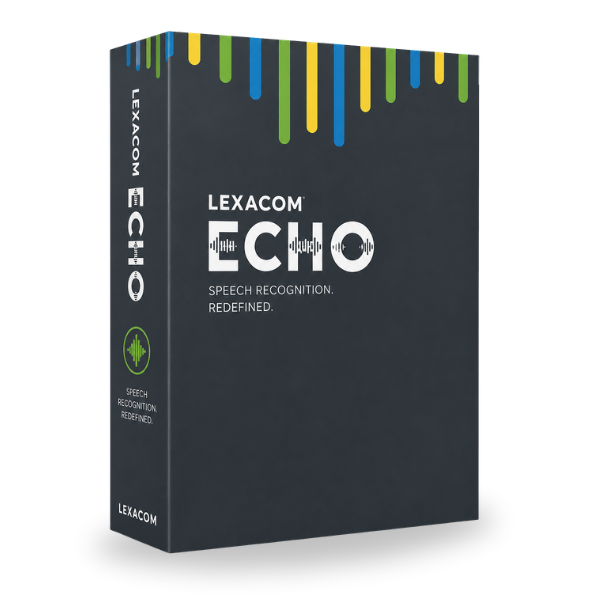
Lexacom Echo is a simple, cost-effective medical speech recognition option for clinicians who want direct speech-to-text without unnecessary complexity. It includes medical vocabulary, a custom dictionary, built-in and custom voice commands and Lexacom Comprehension Engine®.
Use Echo on its own or as part of Lexacom Complete, which brings together Echo speech recognition, digital dictation, transcription, typist review and Lexacom AI Medical Scribe.
Medical AI Scribes
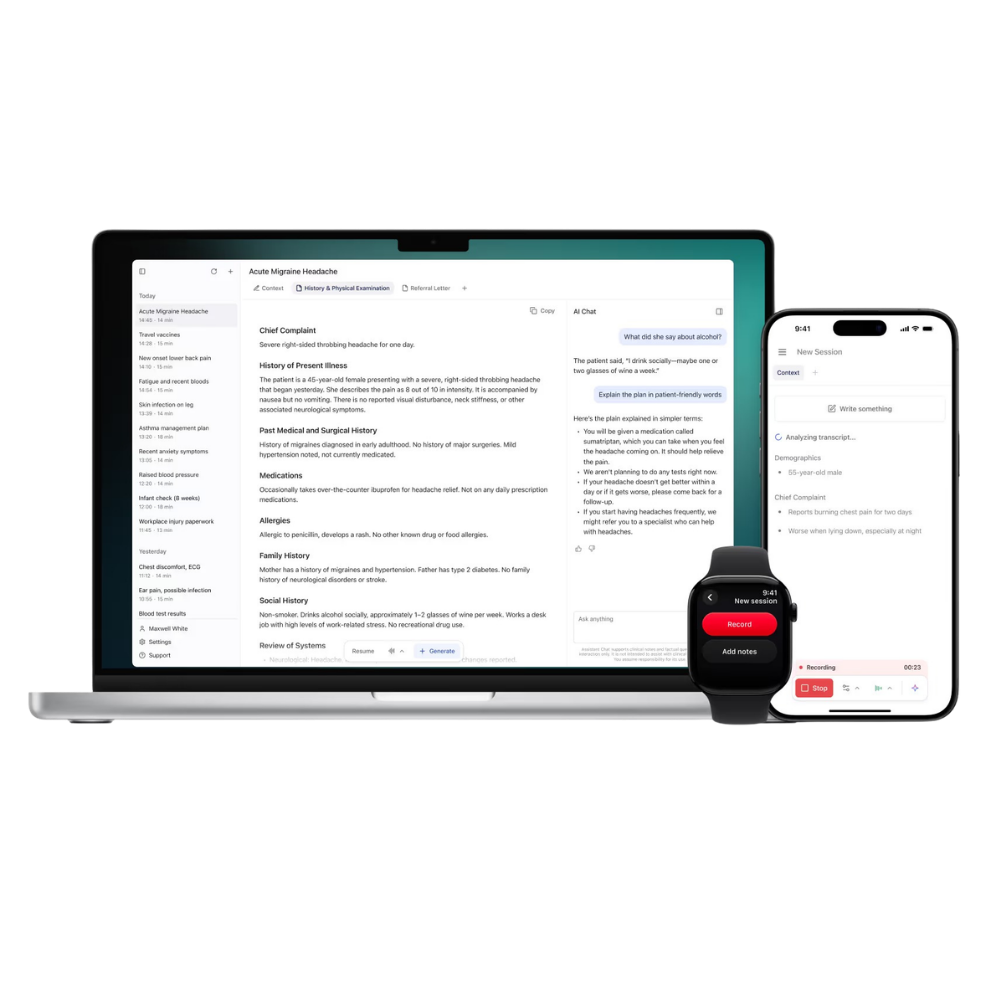
Medical speech recognition writes the words a clinician dictates. A medical AI scribe captures a consultation or spoken account, identifies the important information and organises it into a structured note or document within your own custom template.
The clinician or assistant then checks the AI-generated document against the original audio or source information, edits it and approves the final content before it enters the patient record. This Human-in-the-Loop review allows you to stay in control.
Capture
Consultation or spoken account
Understand
AI identifies and organises the information
Create
Structured draft note or document
Review with audio
Clinician or assistant checks, edits and approves
VoiceX Medical Speech Recognition Specialists
VoiceX is an authorised partner for the medical speech recognition and AI documentation products we supply. We help Australian and New Zealand healthcare organisations choose the right platform, confirm application compatibility and turn the software into a reliable clinical documentation solution.
✓ Product and application advice — compare Dragon Medical One, Speech Direct, Lexacom Echo, SpeechLive and medical AI scribes against the actual clinical environment.
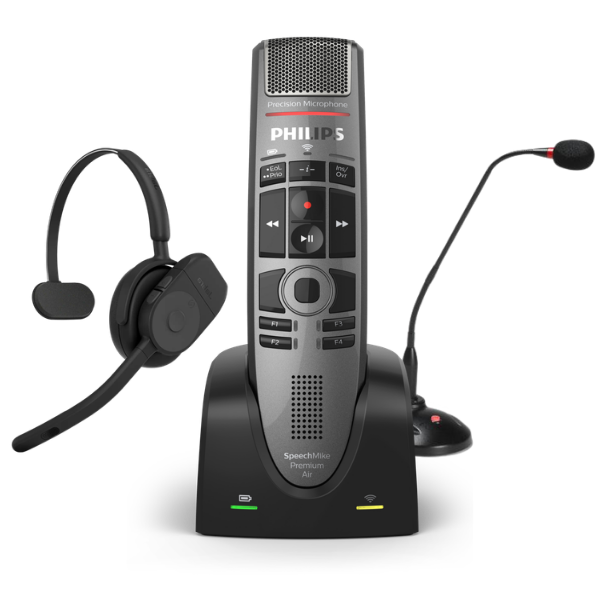
✓ Configuration and implementation — licences, user profiles, medical vocabularies, AutoTexts, commands, microphones, applications and team access.
✓ Practical end-user training — clinician-focused training for dictation, correction, commands and safe review. VoiceX can train Dragon users regardless of where or when the software was purchased.
✓ Local technical support — access an Australian team with specialist experience in professional dictation, speech recognition and document creation technology.
Medical Speech Recognition FAQs
Still the gold standard for verbatim medical speech-to-text, Dragon Medical One is the strongest choice for clinicians who need advanced personalisation, AutoTexts and commands. Speech Direct provides strong Windows functionality at a mid-tier price. Lexacom Echo is the simpler, lower-cost option and can expand into the wider Lexacom platform. Dragon Medical One + SpeechLive gives you the best of all options by providing a simple-to-use, cost-effective all-in-one dictation, transcription and speech recognition solution that utilises both real-time and background speech recognition - powered by Dragon Medical One.
Dragon Medical One for Mac uses Voicepoint Helium to provide native macOS access to the clinician's Dragon Medical One profile. You can also use the same personalised Dragon Medical profile on supported Windows computers.
Dragon Medical One + SpeechLive combines live medical speech recognition with recordings from the SpeechLive mobile app, browser or compatible professional recorder. Background-recognised text remains linked to the original audio so a typist or administrator can review it.
Medical speech recognition converts the clinician's dictated wording into text. A medical AI scribe captures a consultation or spoken account and creates a structured draft from the information. The clinician or typist can review and approve either output before using it in the patient record.
Buy Medical Speech Recognition Software
Purchase specialist medical speech recognition, a combined Dragon and SpeechLive workflow, or flexible SpeechLive AI Speech Recognition. VoiceX subscriptions include local provisioning and support as specified on each product page.
Specialist Medical · Windows
Premium medical speech recognition with specialist vocabularies, a personalised cloud profile, AutoTexts and advanced voice commands.
Buy Dragon Medical OneSpecialist Medical · Windows
Australian-hosted medical speech recognition with a custom dictionary, AutoText, SpeechBox, Command Builder and a mobile microphone app.
Buy Speech DirectSpecialist Medical · Windows
Simple, cost-effective medical speech recognition with medical vocabulary, a custom dictionary and voice commands.
Buy Lexacom EchoGeneral AI Speech Recognition · Windows & Mac
Live and background speech recognition for browser, mobile and recorded audio workflows. It is flexible, but does not provide the specialist medical vocabulary of the clinical products above.
Buy SpeechLive AI Speech RecognitionNeed medical recognition plus a dictation workflow? Dragon Medical One + SpeechLive adds mobile and recorded dictation, background recognition and typist or administrator review with the original audio.
Buy Dragon Medical One + SpeechLive →