Call Us: 1300 551 778
Explore Dragon Medical One Solutions
Turn your words into accurate medical text in real time. Choose Dragon Medical One for Windows, add native Mac access, or connect Dragon to a recorded dictation and transcription workflow with SpeechLive or SpeechExec Enterprise.
Medical speech recognition for healthcare
Microsoft Dragon Medical One helps doctors, specialists and healthcare teams create clinical notes, referrals, reports and correspondence by voice. Dictate directly into compatible clinical software and see the text appear as you speak—ready to review, correct and complete.
Dictate at the cursor into compatible clinical systems, browser fields, documents, templates, emails and the Dragon Dictation Box.
Use speech recognition designed for healthcare language, including specialist terminology, medications, procedures and clinical phrasing.
Each authorised user has a cloud profile containing their custom words, AutoTexts, commands, preferences and personalised vocabulary.
Use Dragon Medical One on Windows, add Helium for native Mac access, or connect it to SpeechLive or SpeechExec for recorded dictation and review.

VoiceX supports individual clinicians, specialist practices, healthcare groups and larger deployments across Australia and New Zealand.

Dragon Medical One is Microsoft clinical documentation technology designed to support secure, speech-driven healthcare documentation.

For Australian users, Dragon Medical One is hosted by Microsoft on Azure infrastructure in Australia, with VoiceX setup, training and support.
How Dragon Medical One works
Speak naturally and watch your words appear as medical text in real time. Review, refine and complete the document before it becomes part of the patient record.

Dictate the clinical detail in your own words using a professional microphone, suitable headset or PowerMic Mobile.
Dragon Medical One converts the clinician's speech into medical text in real time using healthcare vocabulary.

Review the words as they appear, add detail, make corrections and structure the note, letter or report as required.

Finalise the documentation before it is saved, sent or added to the patient's clinical record.
More than speech-to-text
Dragon Medical One lets clinicians dictate directly into compatible clinical software, patient records, referral letters, browser fields, emails, templates and the Dragon Dictation Box.
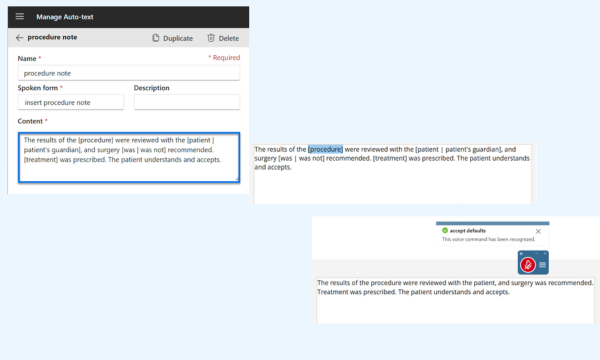
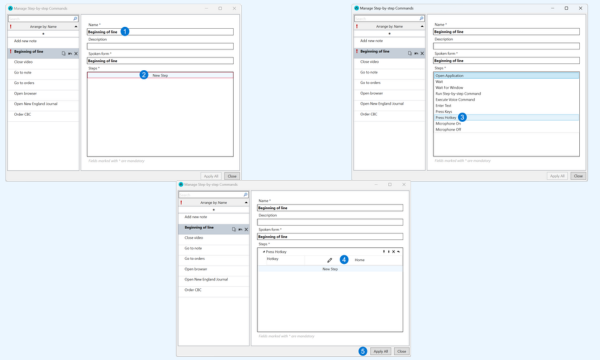
Customisable AutoText Commands can insert frequently used clinical wording, while customisable Dragon Step-by-Step Commands can reduce repeated keyboard and mouse actions.

Features clinicians rely on
Dragon Medical One combines medical vocabulary, personalisation and reusable commands to help clinicians create documentation more efficiently while retaining control over the final text.
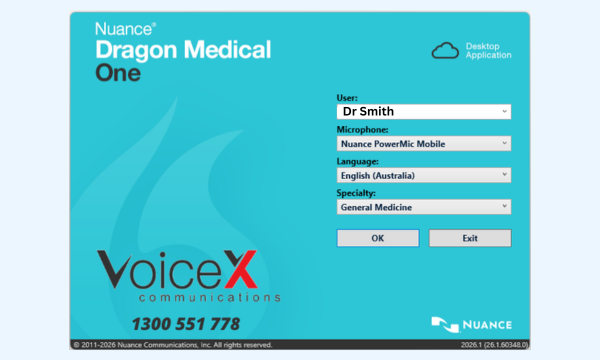
A lightweight desktop client connects the clinician to their secure cloud profile, vocabulary, AutoTexts, commands and preferences.
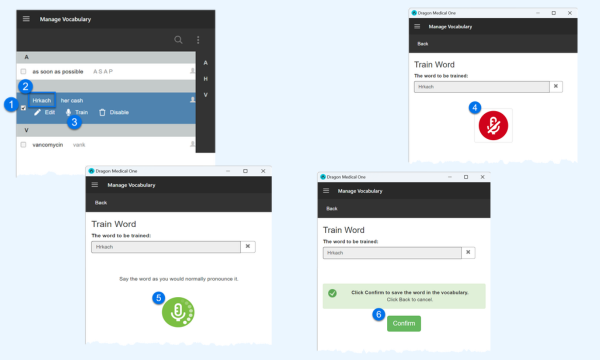
Each authorised clinician works with their own medical vocabulary, correction history, AutoTexts, custom words and commands.
Dragon Medical One is designed for clinical language, including specialist terms, medications, procedures and medical context.
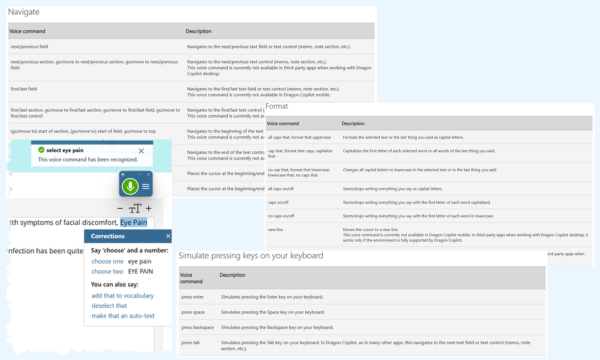
Use spoken commands to correct, navigate and format text, including preferred number, date, time and measurement formats.
Insert frequently used clinical wording, instructions, report structures or longer templates using a short spoken command.
Use the Dictation Box when direct dictation is not ideal, and create Step-by-Step Commands for repeated actions, shortcuts and text entry.
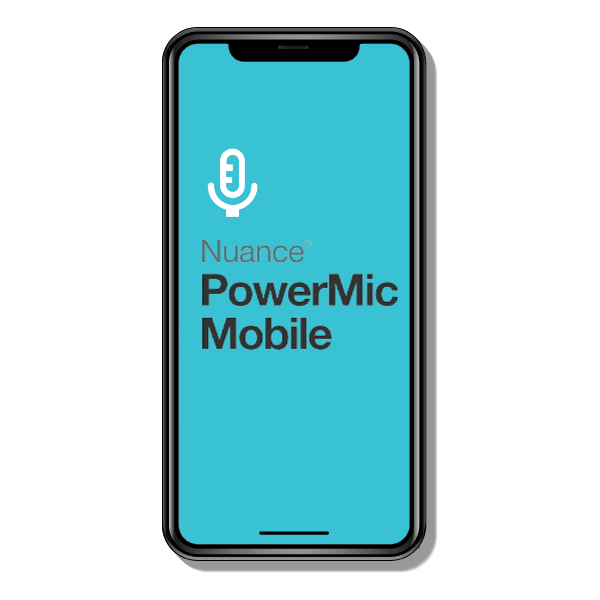
PowerMic Mobile
PowerMic Mobile pairs a compatible iOS or Android device with Dragon Medical One on the clinician's workstation. It is useful for shared rooms, hot desks and clinicians who move between compatible computers.
The app provides microphone controls and configurable buttons, eliminating the need for the clinician to carry a separate USB microphone.
Speech recognition or AI scribe?
Dragon Medical One and medical AI scribes solve different documentation needs. Some clinicians use one approach, while others use both for different types of work.

Clinician-controlled dictation
The clinician says exactly what they want written. Dragon converts the speech into text in real time for review, correction and completion.
Consultation-to-note automation
An AI scribe captures a consultation or recording and creates an AI-generated clinical note or structured document ready for clinician review.
Choose your Dragon Medical One subscription
VoiceX offers subscription options for experienced users who need the software alone and clinicians who want PowerMic Mobile, onboarding, training and support included.
For experienced users
The core Dragon Medical One subscription with 30 days of VoiceX support. Training, PowerMic Mobile and other add-ons can be selected separately.
Complete supported package
An all-inclusive subscription for clinicians who want setup, personalised onboarding, PowerMic Mobile and ongoing VoiceX support included.
Best fit use cases
Dragon Medical One suits clinicians who know what they want documented and prefer to speak the wording directly rather than type it or ask AI to interpret a consultation.
Create detailed reports, referral letters, clinical correspondence and patient documentation in the clinician's own words.
Dictate notes, letters, referrals, emails and administrative documents across compatible practice applications.
Provide authorised users with centrally managed medical speech recognition across compatible computers and environments.
Combine live dictation with Mac access, mobile microphones, background recognition or typist review where different clinicians work differently.

Why VoiceX
VoiceX has supported Dragon speech recognition users since 2003. We help clinicians and healthcare organisations choose the right subscription, microphone, device pathway and documentation setup.
Dragon Medical One FAQs
Practical answers for doctors, specialists, practice managers and IT teams comparing medical speech recognition options.
No. Dragon Medical One is real-time medical speech recognition. It writes the words the clinician dictates. An AI scribe analyses a consultation or recording and creates an AI-generated clinical note. Learn more → Ambient AI Scribes
Dragon Medical One supports at-cursor dictation into many compatible applications, browser fields, documents and clinical systems. Compatibility can depend on the application and deployment environment.
Yes. Each clinician has a personalised profile. Custom words, specialist terms, corrections, AutoTexts and commands can be added to improve the individual dictation experience.
Yes. PowerMic Mobile allows a compatible iOS or Android smartphone to pair with Dragon Medical One on a supported workstation and operate as a wireless microphone.
The standard Dragon Medical One client is Windows-based. Helium provides a native macOS pathway using the clinician's Dragon Medical One profile. Learn more → Dragon Medical One for Mac
Yes. SpeechLive can add recorded dictation, background speech recognition, routing and review against the original audio for eligible Dragon Medical One users. Learn more → Dragon Medical One + SpeechLive
Yes. For Australian users, Dragon Medical One is hosted by Microsoft on Azure infrastructure in Australia.
Essentials suits experienced users who mainly need the software. Dragon Medical One + is better for clinicians who want PowerMic Mobile, setup, training and ongoing VoiceX support included.
Register for a trial, compare Dragon Medical One subscription options or explore the wider range of medical speech recognition solutions supported by VoiceX.