Turn your mobile device into a Dragon microphone

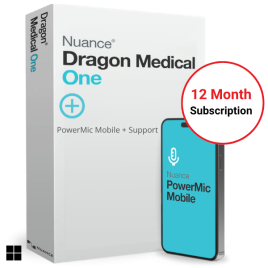
Nuance PowerMic Mobile App

Turn your iPhone or Android device into a secure, wireless microphone for Dragon Medical One. Dictate from anywhere—clinic, ward, home or telehealth—without being tethered to a USB mic.

Included with Dragon Medical One + Optional add‑on for DMO Essentials iOS & Android
Demonstration Video
Replace placeholder with your embed code

What is PowerMic Mobile?

PowerMic Mobile is Nuance’s smartphone microphone app that securely pairs with Dragon Medical One. It provides on‑screen mic controls and programmable buttons to dictate, navigate, and edit text in desktop applications where DMO is installed—no physical USB microphone required.

Key Features

Wireless freedom

Use your mobile as a mic—perfect for hot‑desking, ward rounds, and telehealth.

iOS & Android support

Available from the App Store and Google Play for broad device compatibility.

On‑screen controls

Push‑to‑talk, field navigation, and basic editing from the phone’s screen.

Quick pairing

Pair to your DMO session with a sign‑in/QR style workflow managed by Nuance.

Clinic‑ready

Ideal when shared desks or infection control policies make shared USB mics impractical.

Secure by design

Encrypted comms to the DMO platform; no dictation stored on the device.

How it works

  1. Install the PowerMic Mobile app from the Apple App Store or Google Play.
  2. Launch Dragon Medical One on your Windows PC.
  3. Sign in to PowerMic Mobile with your DMO credentials and select your PC session.
  4. Press and hold the mic button to dictate into any DMO‑supported application.

Typical setup requirements

  • Active Dragon Medical One licence (Plus includes PowerMic Mobile; Essentials can add it as an option).
  • iOS 14+/Android 9+ recommended; stable Wi‑Fi or mobile data connection.
  • Network access permitted to Nuance/DMO endpoints per your IT policy.

Use cases across healthcare

General Practice

Room‑to‑room mobility and rapid note entry into the clinical system.

Hospital Rounds

Hands‑free charting while moving between wards, workstations on wheels, and shared PCs.

Allied Health

Dictate treatment notes without returning to a fixed desk microphone.

Telehealth & Home

Professional‑grade mic quality when consulting remotely.

Security & Privacy (summary)

PowerMic Mobile communicates securely with the Dragon Medical One platform. Data in transit is encrypted, and dictations are processed by the DMO cloud—no dictation audio is stored on the mobile device. For full details, see our Security & Trust Centre.

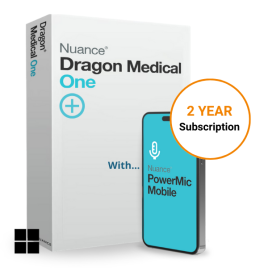
Included with Dragon Medical One +

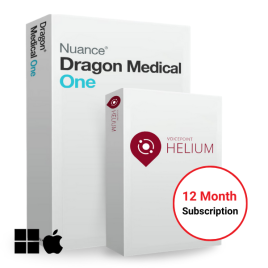
PowerMic Mobile licence included, plus onboarding, training and VoiceX support.

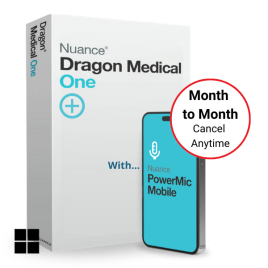
Optional add‑on for DMO Essentials

Add PowerMic Mobile to Essentials for mobile flexibility and reduced hardware costs.

FAQs

Does it replace a USB microphone?

Yes. PowerMic Mobile serves as your mic when dictating with DMO, removing the need for a physical USB mic.

Will it work on shared or thin‑client PCs?

Yes—great for hot‑desking, shared workstations, and virtual desktops where carrying a USB mic isn’t practical.

Is there any training included?

Training and onboarding are included with DMO +. For Essentials, training is available as an add‑on from VoiceX.

Who provides support?

VoiceX is your Australian support partner. Hosting and platform services are delivered by Nuance/Microsoft.

Ready to try PowerMic Mobile with Dragon Medical One?