
Call Us: 1300 551 778

This model is discontinued. Review the PowerMic 4 and Philips SpeechMike Premium pages, and confirm current availability and software compatibility with VoiceX.
Nuance PowerMic III combines a wired USB microphone, thumb-operated dictation controls and Windows mouse functions. It helps users record, navigate supported templates and review recognised text without repeatedly switching between devices.
Button support depends on the exact application and deployment. See PC Requirements before choosing a microphone for an existing system.
Nuance PowerMic III brings recording controls, programmable buttons and PC mouse functions into a handheld microphone. In a supported Dragon workflow, users can navigate report fields, enter dictated text and move through a document for review and editing.
Thumb-operated controls reduce the need to alternate between the microphone, mouse and keyboard. Available button actions depend on the Dragon product, software version and configuration.
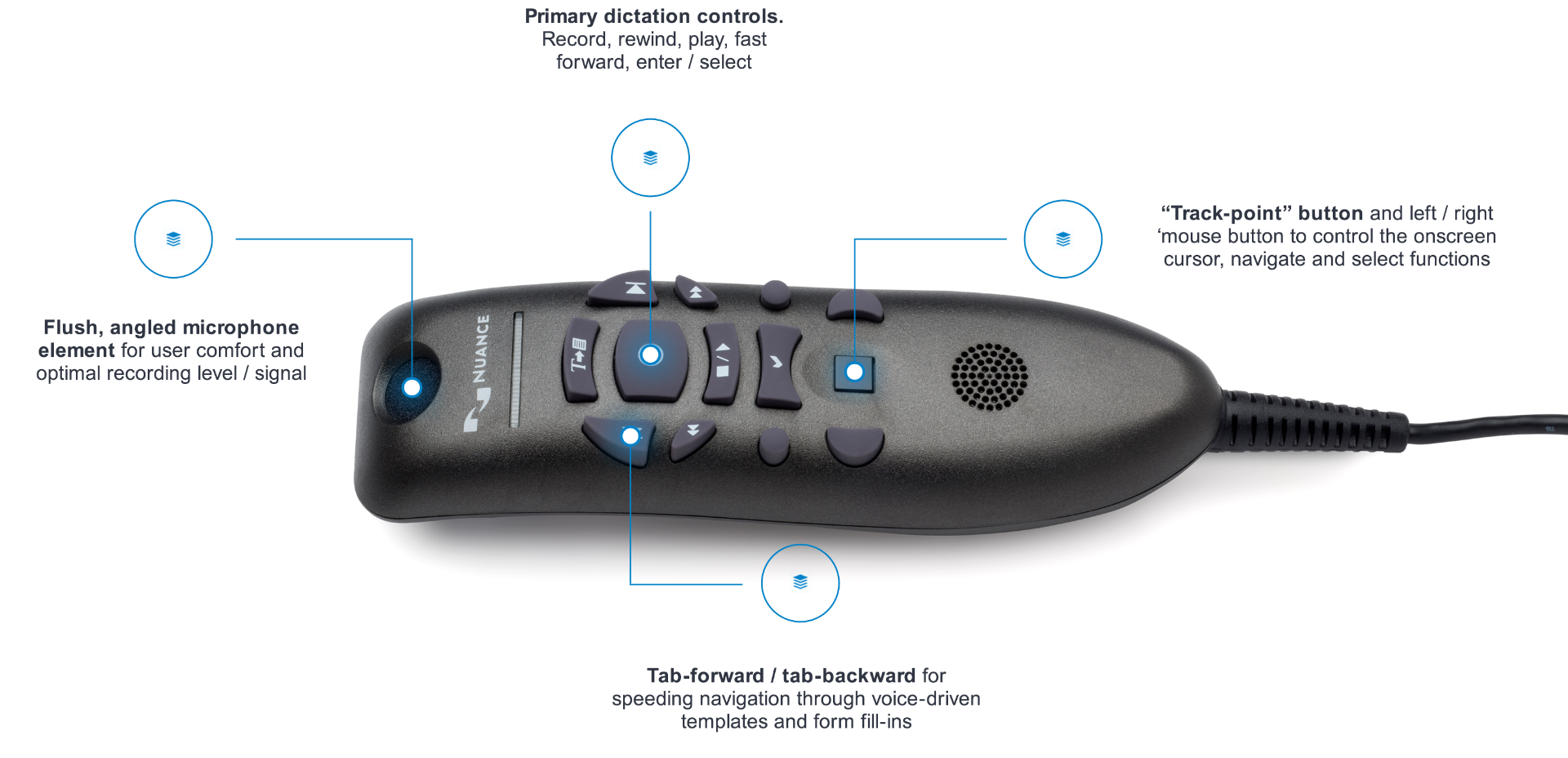
The unidirectional microphone uses noise cancellation to help focus on the person dictating. A USB connection supplies power and audio to the computer, without requiring a separate sound card.
Recording conditions, microphone technique and speech-recognition software all affect recognition results. Confirm the cable variant and supported software with VoiceX when matching an existing installation.
PowerMic III supports specific Dragon and clinical reporting workflows. USB audio recognition alone does not establish programmable-button support in every application.
Remote desktop and virtual environments may need vendor-provided client extensions. Check the exact application, workstation and remote-access setup before deployment. Dragon software and any separate PowerMic Mobile smartphone service require their own applicable licences.
Programmable dictation controls require a supported Dragon application and configuration. USB audio recognition alone does not establish support for microphone buttons.
Citrix, RDS/AVD and VMware/Omnissa environments may require the appropriate vendor client extensions for audio and PowerMic controls. Ask VoiceX to check the complete deployment rather than assuming local-PC behaviour carries over to a remote session.
Older Dragon editions have different levels of PowerMic support. Historical compatibility is not a promise of current software or operating-system support.