Call Us: 1300 551 778
VoiceX offers a range of professional speech recognition solutions for people who create reports, correspondence, assessments, file notes and business documents every day.
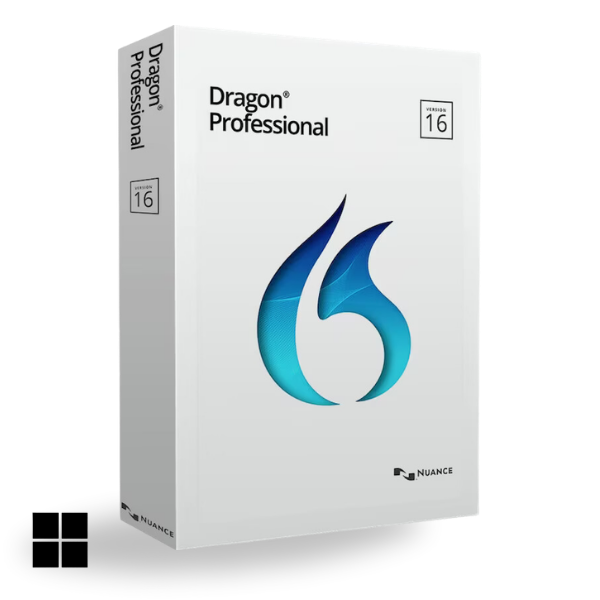
Choose Dragon Professional v16 for advanced Windows speech recognition and voice control, SpeechLive AI Speech Recognition when you want the flexibility to use speech recognition in real time, from recorded audio, within the dictation workflow, on mobile or across multi-speaker conversations, or SpeechLive Professional AI Assistant when you want spoken information turned into a structured professional document.
Dragon Professional Anywhere is scheduled for discontinuation in December 2026 and end-of-life in December 2027. VoiceX can help existing users assess commands, applications, mobility, dictation and document requirements before moving to Dragon Professional v16, SpeechLive AI Speech Recognition or SpeechLive Professional AI Assistant.
Learn more about Dragon Professional Anywhere →Not sure which professional speech recognition option fits? Compare platform, dictation methods, AI document creation, review and voice-control capabilities.
Compare Professional Speech Recognition SolutionsDragon Professional v16 delivers traditional real-time speech recognition with advanced Windows commands and voice control. SpeechLive AI Speech Recognition gives professionals far more flexibility — dictate live at the cursor, process recorded audio in the background, use speech recognition within the dictation workflow or mobile app, and transcribe multi-speaker conversations. SpeechLive Professional AI Assistant goes further again, using the information in your dictation, conversations and supporting files to create the structured professional document you need.
Real-time speech-to-text with advanced Windows commands, application navigation and direct control by voice.
Dictate live at the cursor, process recorded audio in the background, work within the SpeechLive dictation workflow or mobile app, and transcribe multi-speaker conversations — with the source audio retained for review.
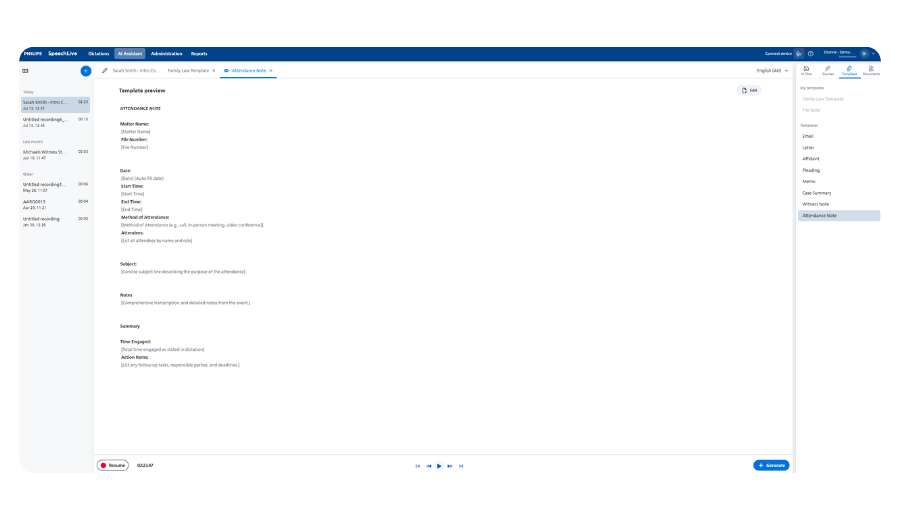
Speak naturally, record a conversation or add supporting information. AI identifies the relevant content and creates a structured professional first draft from your selected or custom template, ready for human review.
Let the speech recognition experts at VoiceX help you choose the best solution to fit your way of working.
| Capability | Dragon Professional Anywhere |
Dragon Professional v16 |
SpeechLive AI Speech Recognition |
SpeechLive Professional AI Assistant |
| What it is | Cloud speech recognition | Advanced Windows dictation, commands and computer control | Flexible cloud speech recognition, recording, transcription and review | All-in-one speech recognition and AI-assisted professional document creation |
| Platform and deployment | Cloud Windows client |
Locally installed Windows |
Cloud Windows, Mac, browser & mobile |
Cloud Windows, Mac, browser & mobile |
| Real-time speech recognition at the cursor | ✓ | ✓ | ✓ | ✓ |
| Windows and Mac compatibility | ✕ Windows |
✕ Windows |
✓ | ✓ |
| Mobile speech recognition | ✕ | ✕ | ✓ | ✓ |
| Recorded and deferred speech recognition | ✕ | ✓ Single speaker |
✓ | ✓ |
| Traditional dictation and transcription workflow | ✕ | + With supported workflow software |
✓ | ✓ |
| Multi-speaker transcription | ✕ | ✕ | ✓ | ✓ |
| AI-refined transcripts, summaries and insights | ✕ | ✕ | ✓ | ✓ |
| AI-assisted professional document creation | ✕ | ✕ | + Upgrade available |
✓ |
| Human review with retained source audio | ✕ | + With supported workflow software |
✓ | ✓ |
| Advanced Windows navigation and automation | + Step-by-step commands |
✓ Advanced commands & scripting |
+ Reusable voice commands |
+ Via included AI Speech Recognition |
This is a general comparison. Features can vary by licence, SpeechLive plan, configuration, operating environment and connected software. VoiceX will confirm the correct setup for your users and applications.
Dragon Professional Anywhere is scheduled for discontinuation in December 2026 and end-of-life in December 2027. Existing users should assess how they use Dragon today before choosing a replacement — particularly custom words, AutoTexts, commands, application compatibility, virtual environments, mobility and document review requirements.
VoiceX can help determine whether the right pathway is Dragon Professional v16, SpeechLive AI Speech Recognition or a move beyond traditional speech-to-text to SpeechLive Professional AI Assistant.
Learn about Dragon Professional Anywhere migration →
Dragon Professional v16 is the current locally installed Dragon option for professionals who want fast, real-time speech recognition directly into Windows applications. Its strength is control: personal vocabulary, custom words, AutoTexts, advanced voice commands, scripting, application navigation and reusable content can all be configured around the individual user.
Dragon Professional v16 can also transcribe pre-recorded single-speaker audio and can be combined with supported dictation and transcription software where an author-to-typist review process is required.
Learn about Dragon Professional v16 → Shop Professional Speech Recognition →Dictate directly at the cursor on Windows or Mac, use real-time speech recognition through SpeechLive, dictate from the mobile app, or record first and let SpeechLive process the audio in the background.
SpeechLive also supports multi-speaker transcription, AI-assisted transcript refinement, summaries, traditional dictation and transcription, and Human-in-the-Loop review with the original audio retained for checking. That makes it particularly useful for professionals who move between direct dictation, recorded work, meetings, interviews and delegated review.
Explore SpeechLive AI Speech Recognition Start a SpeechLive Trial →
Professional speech recognition is particularly valuable where people spend significant time turning knowledge, conversations, inspections or decisions into written documents. VoiceX works with consultants, finance and insurance professionals, assessors and investigators, government departments, executives, managers and technical professionals who need reports and correspondence completed accurately and quickly.
The right solution depends less on job title and more on the document being created, where the user works, whether the source is live or recorded, how much voice control is required and who reviews the finished document.
Where relevant, SpeechLive integration options include Actionstep, Clio, iManage and NetDocuments. Integration availability depends on your SpeechLive plan, system and configuration. VoiceX can confirm the correct licensing and integration approach before implementation.
A successful speech recognition implementation depends on the users, applications, microphones and document processes around the software. VoiceX supports Australian and New Zealand organisations from initial assessment through implementation and ongoing optimisation.
Requirements assessment, Dragon migration planning, application review, vocabulary and command assessment, pilot design and trial planning.
User configuration, software implementation, microphone advice, vocabulary and reusable-content setup, SpeechLive configuration and rollout support.
Practical end-user training, Australian-based technical support and ongoing optimisation. VoiceX can train Dragon users regardless of where or when the software was purchased.
Dragon Professional v16 is best suited to Windows users who value advanced commands, scripting and computer control. SpeechLive AI Speech Recognition is the stronger choice when Windows and Mac access, mobile dictation, recorded audio, multi-speaker transcription and Human-in-the-Loop review matter. SpeechLive Professional AI Assistant is best when the goal is to turn information into structured professional document drafts rather than simply convert speech into text.
For many organisations wanting to remain in the cloud, SpeechLive AI Speech Recognition is the most natural migration path because it retains real-time speech-to-text while adding Windows and Mac access, mobile and recorded dictation, multi-speaker transcription and review options. Dragon Professional v16 is the stronger choice where advanced Windows commands and application control remain essential. Professional AI Assistant should be considered where the organisation wants to move beyond transcription into AI-assisted document creation.
AI Speech Recognition converts spoken words into text, either live or from recorded audio. SpeechLive Professional AI Assistant goes beyond verbatim transcription by using information from audio and supporting sources to create a structured professional document from a selected or custom template. Professional AI Assistant includes SpeechLive AI Speech Recognition.
SpeechLive AI Speech Recognition supports professional speech recognition across Windows and Mac, with additional browser and mobile options. Dragon Professional v16 and Dragon Professional Anywhere are Windows-based solutions.
Yes. Dragon Professional v16 can transcribe compatible pre-recorded single-speaker audio. Organisations requiring author-to-typist review, retained source audio or a broader dictation workflow can also combine Dragon with supported dictation and transcription software.
Yes. VoiceX can review existing Dragon profiles, vocabulary, commands, applications, microphones and user requirements before recommending and testing a migration path. VoiceX also provides Dragon end-user training regardless of where or when the existing Dragon software was purchased.
Tell us what your users create, where they work and how documents are reviewed. VoiceX can recommend the right speech recognition, AI document creation, migration, implementation and training path.
Talk to a VoiceX Specialist Start a SpeechLive Trial Shop Professional Speech Recognition