Dragon Medical One for Mac


Medical speech recognition for macOS

Dragon Medical One for Mac

Powered by Voicepoint Helium

Use Dragon Medical One natively on macOS with Voicepoint Helium. Dictate clinical notes, letters, referrals and reports directly into compatible applications without relying on Remote Desktop, Parallels or a Windows virtual machine.

Clinicians can use the same personalised Dragon Medical One profile across Mac and Windows, including their specialist vocabulary, custom terms and corrections.

Dragon Medical One for Mac powered by Voicepoint Helium
 

Dragon Medical One for Mac

Native medical speech recognition on macOS, powered by Voicepoint Helium.

Voicepoint Helium enables clinicians to use their Dragon Medical One speech profile on a Mac. Speech is converted into medical text in real time, allowing doctors and specialists to dictate directly into compatible clinical systems, browser fields, documents, templates, letters and emails.

Work natively on Mac

Helium is a locally installed macOS application that connects clinicians to cloud-based medical speech recognition without requiring a Windows virtual machine or remote desktop session.

Keep one Dragon profile

Use the same Dragon Medical One profile across Mac and Windows, including user-specific terminology, corrections and personalised medical vocabulary.

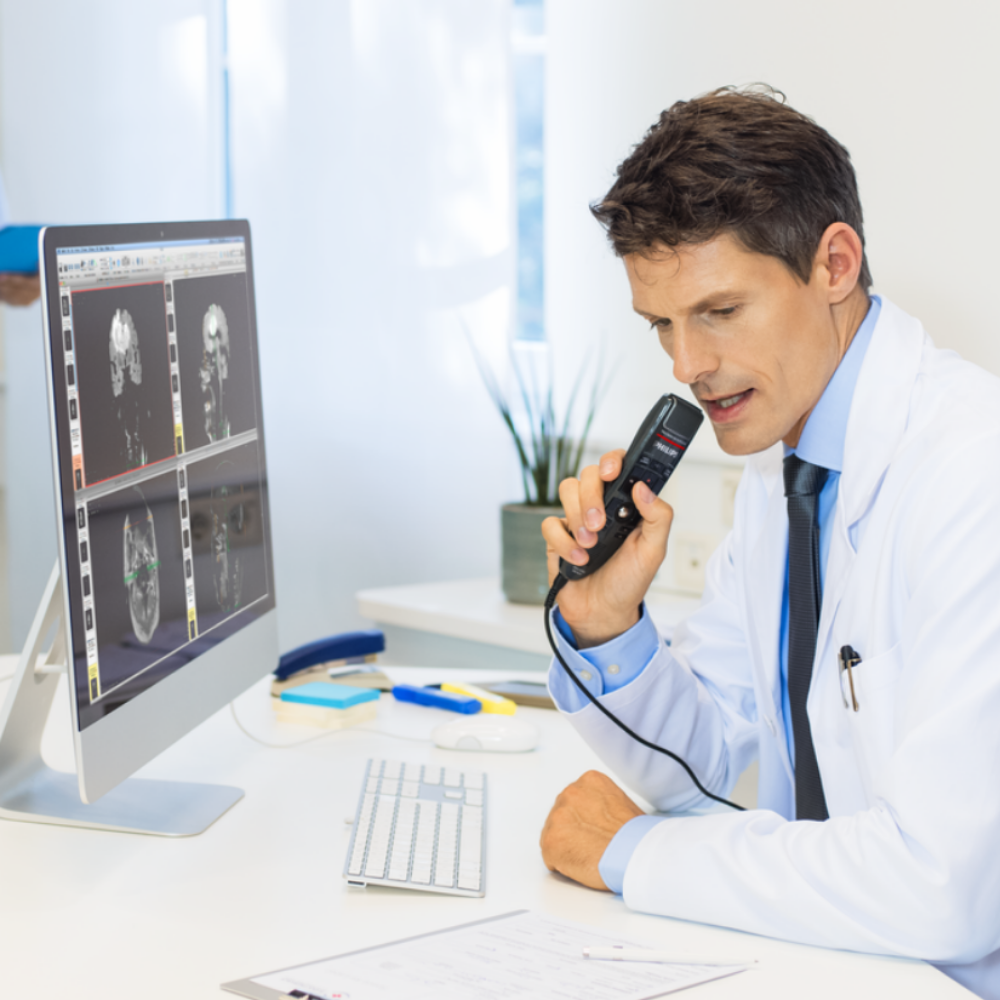
Voicepoint Helium running Dragon Medical One medical speech recognition on a Mac
 

Why Mac users need Helium

Dragon Medical One is built for Windows. Helium makes Dragon Mac compatible.

The Dragon Medical One client is designed for Windows. Mac users have traditionally needed a remote desktop, terminal server, Parallels or another Windows environment to access it.

Voicepoint Helium provides a purpose-built macOS application that connects to the clinician's Dragon Medical One profile and delivers real-time medical speech recognition on the Mac.

  • Dictate directly on a supported Mac environment
  • Use Dragon medical vocabulary designed for healthcare documentation.
  • Correct and edit recognised text using voice commands.
  • Add specialist terms, abbreviations and custom commands.
  • Move between Mac and Windows using the same Dragon profile.
 

How Dragon Medical One for Mac works

Dictate, recognise, review on Mac and Windows with one profile.

Helium keeps the process simple for clinicians who want medical speech-to-text directly on macOS, whilst still allowing users to work on a Windows computer with the same Dragon Medical One profile.

1. Open Helium on the Mac

Launch the lightweight Helium client and sign in to the clinician's authorised speech recognition profile.

2. Dictate into a microphone

Speak naturally using a compatible professional dictation microphone connected to the Mac.

3. See medical text in real time

Helium converts the clinician's speech into text as they dictate, using medical and general-language vocabulary.

4. Review and complete

Correct the wording, transfer or enter the text into the compatible clinical application, then review it before it becomes part of the patient record.


One profile across Mac and Windows

Keep the clinician's personalised Dragon experience wherever they work.

Clinicians can use the same Dragon Medical One profile on both Mac and Windows operating systems, helping maintain consistent accuracy and personalisation across consulting rooms, locations and devices.

Personal medical vocabulary

Use clinician-specific terminology, names, medications, abbreviations and preferred wording across Mac and Windows.

Vocab customisations follow the user

User-specific terms and corrections remain linked to the clinician's profile rather than one particular computer.

Flexible mixed-device practices

Support clinicians who use a Mac at home or in consulting rooms and Windows computers elsewhere in the practice.


Clinical documentation on Mac

Dictate the documents clinicians create every day.

Helium is designed for direct, clinician-controlled medical dictation. The clinician speaks the words they want documented and reviews the recognised text before final use.

Clinical notes and patient records

Dictate findings, assessment, plans and follow-up details into compatible clinical or practice systems.

Referral and specialist letters

Create referrals, correspondence and specialist letters in the clinician's own words without typing each document.

Reports and templates

Dictate reports and structured documentation into compatible templates, documents and browser fields.

Emails and general documents

Use medical and general-language speech recognition for emails, Word documents and everyday administrative writing.

Application compatibility can vary. VoiceX can help confirm how Helium will work with your clinical software, browser, Mac hardware and documentation requirements before deployment.


Recommended microphones

The best microphones for Dragon Medical One on Mac.

A professional speech recognition microphone captures the clinician’s voice clearly and provides convenient controls for dictation, correction and navigation. VoiceX recommends the Philips SpeechMike Premium range for Dragon Medical One with Voicepoint Helium.

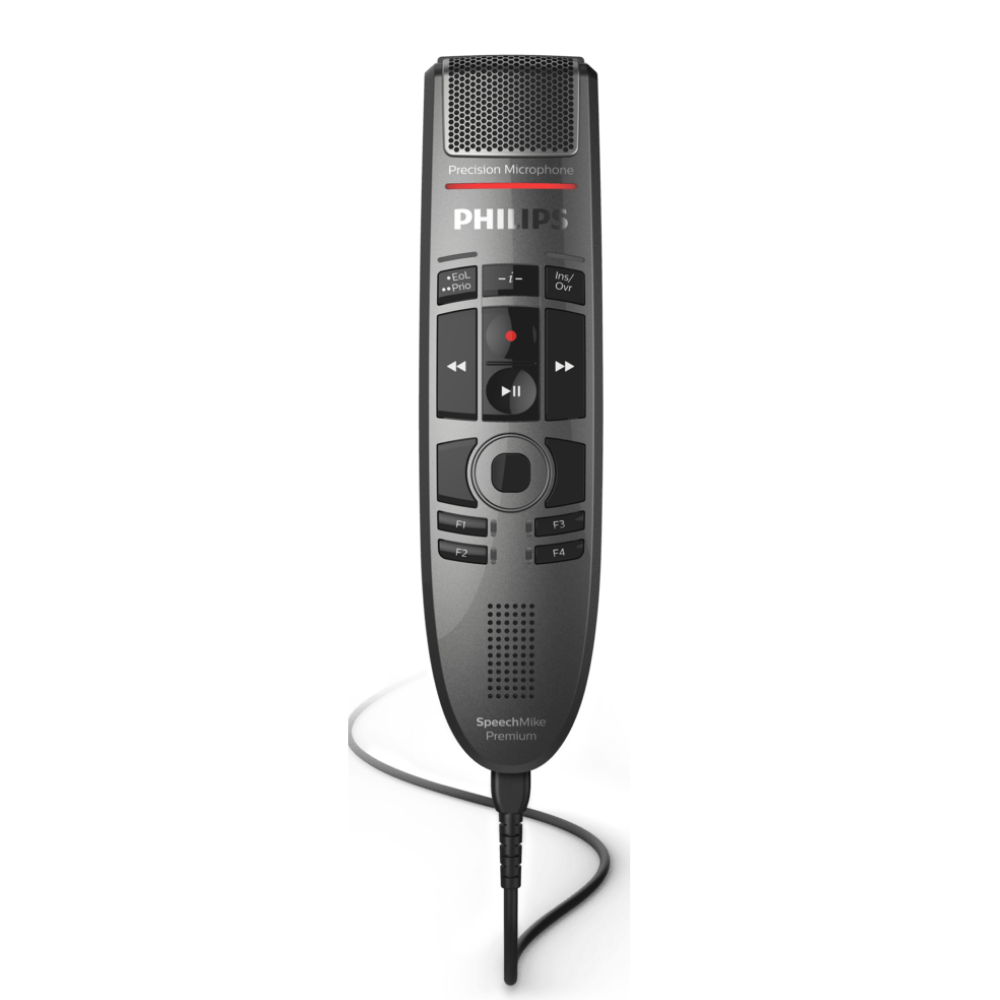
Corded USB microphone

Philips SpeechMike Premium Touch SMP3700

A dependable corded microphone for desk-based medical dictation. The decoupled studio-quality microphone and built-in noise reduction help capture clear speech for accurate recognition, while configurable buttons and the touch sensor support efficient navigation and voice-command use.

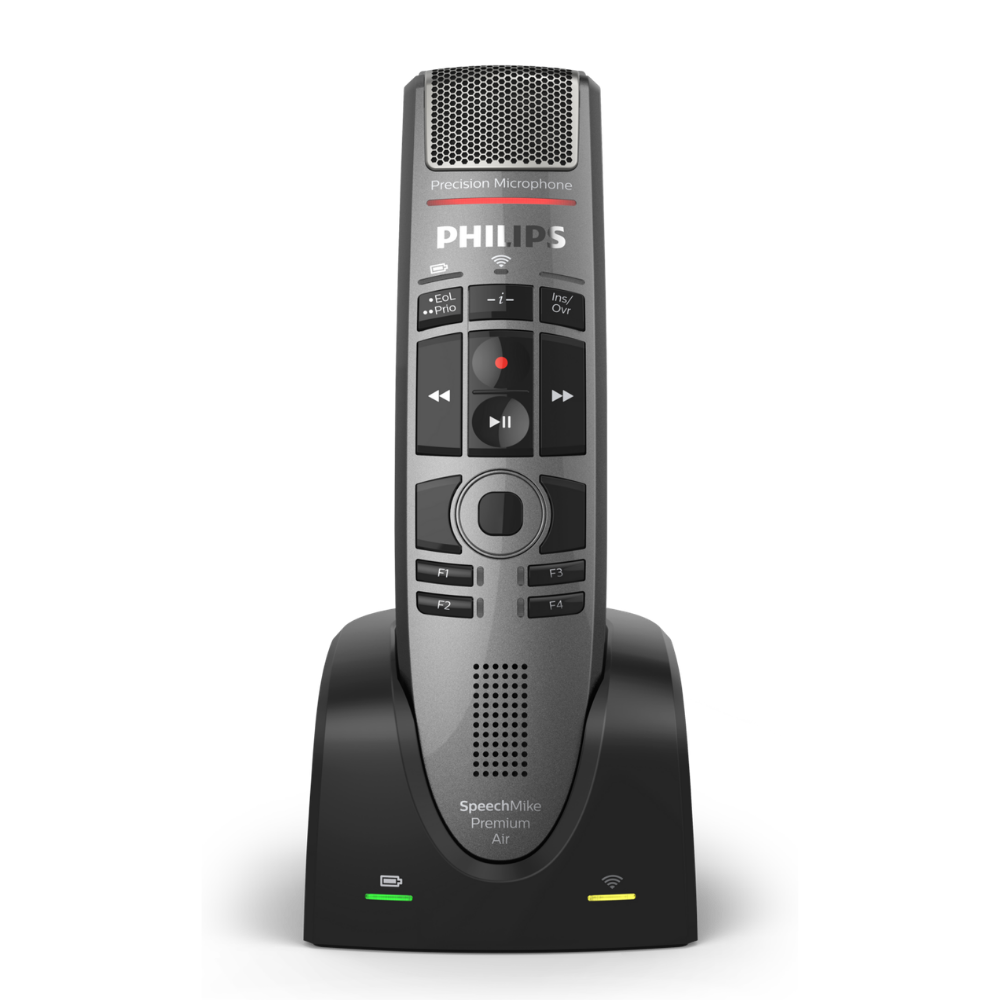
Wireless microphone

Philips SpeechMike Premium Air SMP4000

A premium wireless option for clinicians who want freedom to move around the consulting room. It combines a studio-quality microphone, noise reduction and lossless wireless audio with a charging dock and configurable controls for Dragon Medical One.

Both models are designed for professional speech recognition and can also be used in compatible Windows environments, making them practical choices for clinicians who work across Mac and Windows.

Need another style microphone?

VoiceX offers a wide range of microphones compatible with Dragon Medical One speech recognition on both Windows and Mac environments.  Choose from headsets, desktop microphones, wearable microphones and hand-held dictation microphones, all tested and supported by VoiceX for speech recognition.  See our complete range of Speech Recognition Microphones


Privacy, security and Australian hosting

Secure medical speech recognition for Mac-based healthcare teams.

For VoiceX clients, Dragon Medical One and Voicepoint Helium are hosted on Microsoft Azure infrastructure in Australia. This provides an Australian-hosted pathway for eligible clinicians using Dragon Medical One on macOS.

Australian hosting and security for Dragon Medical One and Voicepoint Helium on Mac

Hosted in Australia

Dragon Medical One and the VoiceX Helium environment use Microsoft Azure infrastructure in Australia for eligible customers in Australia and New Zealand.

Individual user access

Each clinician uses an authorised account and their own personalised medical speech recognition profile.

Cloud processing

The local Mac client connects to cloud-based speech recognition, reducing the need for high-spec local processing hardware.

Clinician review

The clinician remains responsible for reviewing and approving recognised text before it is saved to the patient record or sent.

Managed installation

VoiceX assists with subscription setup, client installation, microphone configuration and user onboarding.

Local VoiceX support

Australian and New Zealand customers receive implementation guidance, training and ongoing technical support from VoiceX.


Best fit use cases

A practical option for clinicians and practices committed to Mac.

Dragon Medical One for Mac is particularly useful where clinicians want advanced medical speech recognition without changing their preferred operating system.

Mac-based specialists

Use medical speech recognition on the Mac for detailed reports, referrals, letters and patient correspondence.

Mixed Mac and Windows practices

Allow each clinician to use the operating system that suits them while retaining one personalised Dragon profile.

Clinicians working across locations

Access the same speech profile from authorised Mac or Windows environments across clinics, consulting rooms or home offices.

Practices replacing Windows workarounds

Move away from a separate virtual Windows desktop when a more direct macOS dictation experience is preferred.


Choose the right subscription pathway

New to Dragon Medical One, or adding Mac access?

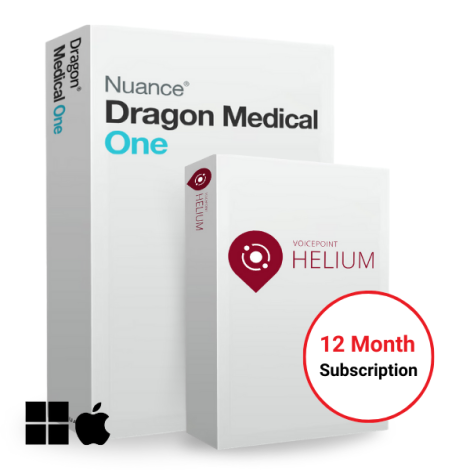
VoiceX can provide the complete Dragon Medical One + Helium package or help existing Dragon Medical One customers add Helium to their current subscription.

For new users

Dragon Medical One + Helium

Purchase the combined annual subscription for real-time medical speech recognition on Mac and Windows, including VoiceX setup, training and support.

For existing Dragon Medical One users

Add Voicepoint Helium

Already subscribe to Dragon Medical One through VoiceX? Ask us to confirm eligibility, Mac compatibility and pricing for a Helium add-on licence.


VoiceX setup and support

Local implementation, training and ongoing technical support.

VoiceX helps Australian and New Zealand healthcare professionals assess, trial and implement Dragon Medical One for Mac. We can review the Mac environment, confirm application compatibility, configure the microphone and introduce users to practical dictation and correction techniques.

  • Dragon Medical One and Helium licensing.
  • Mac compatibility and application review.
  • Helium client installation and user setup.
  • Professional microphone selection and configuration.
  • Personalised onboarding and end-user training.
  • Ongoing Australian and New Zealand technical support.

Dragon Medical One + Helium, purchased through VoiceX, includes implementation, user training, and unlimited technical support during the active subscription term.

VoiceX setup training and support for Dragon Medical One and Voicepoint Helium
 

Dragon Medical One for Mac FAQs

Useful questions about Voicepoint Helium.

Practical answers for clinicians, practice managers and IT teams considering medical speech recognition on macOS.

Can Dragon Medical One run on a Mac?

The standard Dragon Medical One client is Windows-based. Voicepoint Helium provides a native macOS pathway that allows eligible clinicians to use their Dragon Medical One speech profile on a Mac.

Is Helium the same as Dragon Medical One?

Helium is the macOS application that provides access to compatible cloud medical speech recognition. Dragon Medical One remains the clinician's medical speech recognition service and profile.

Can I use the same profile on Mac and Windows?

Yes. Clinicians can work with the same profile and use their user-specific terms and corrections on both operating systems.

Can I add specialist words and abbreviations?

Yes. Individual specialist terms, abbreviations and voice commands can be added to help personalise the clinician's dictation experience.

Does Helium need an internet connection?

Yes. Helium requires a stable internet connection because the speech recognition service is processed in the cloud.

Can Helium work with my clinical software?

Helium can work with many common clinic and practice systems, but compatibility depends on the application and environment. VoiceX should confirm the intended setup before purchase.

Does PowerMic Mobile work with Helium on Mac?

No. PowerMic Mobile is not currently compatible with Helium on macOS. It may still be used as an optional microphone when the clinician works in a supported Windows Dragon Medical One environment.

Can I trial Dragon Medical One for Mac?

Yes. Register for a Dragon Medical One trial and tell VoiceX that you need the macOS Helium pathway assessed.

Bring Dragon Medical One to your Mac.

Register for a trial, purchase the complete Dragon Medical One + Helium package, or compare the wider range of medical speech recognition solutions supported by VoiceX.