
SpeechLive Legal Direct
Speech recognition for legal work
Dictate correspondence, matter notes and legal documents directly where your cursor is flashing.
SpeechLive brings professional dictation and transcription together with SpeechLive Professional Direct for speech recognition and SpeechLive Professional AI Assistant for structured document drafting.
Dictate exactly what you want written, turn meetings and recordings into text, or let SpeechLive Professional AI Assistant use conversations, spoken notes and supporting information to create structured document drafts ready for Human-in-the-Loop review.

Use the document creation method that fits the task — from traditional dictation and human transcription through to automatic speech-to-text and AI-assisted document creation.
Record notes, reports, correspondence, ideas and longer professional dictation.
Explore SpeechLive Workflow →Route recorded work to assistants, typists or transcription services for review and completion.
Create speech-to-text from live dictation, recorded audio and multi-speaker conversations.
Explore SpeechLive Professional Direct →Speak naturally and let AI organise the relevant information into the professional document you need.
Explore AI Scribe Solutions →Digital dictation changed where we dictated.
Speech recognition changed how we transcribed.
Professional AI changes what happens after the information is captured.
Instead of stopping at audio or transcription, SpeechLive Professional AI Assistant can use the information itself to help create the structured report, summary, correspondence or other document you need.
Bring audio, transcript and supporting sources together and use AI-assisted document creation inside the SpeechLive environment.
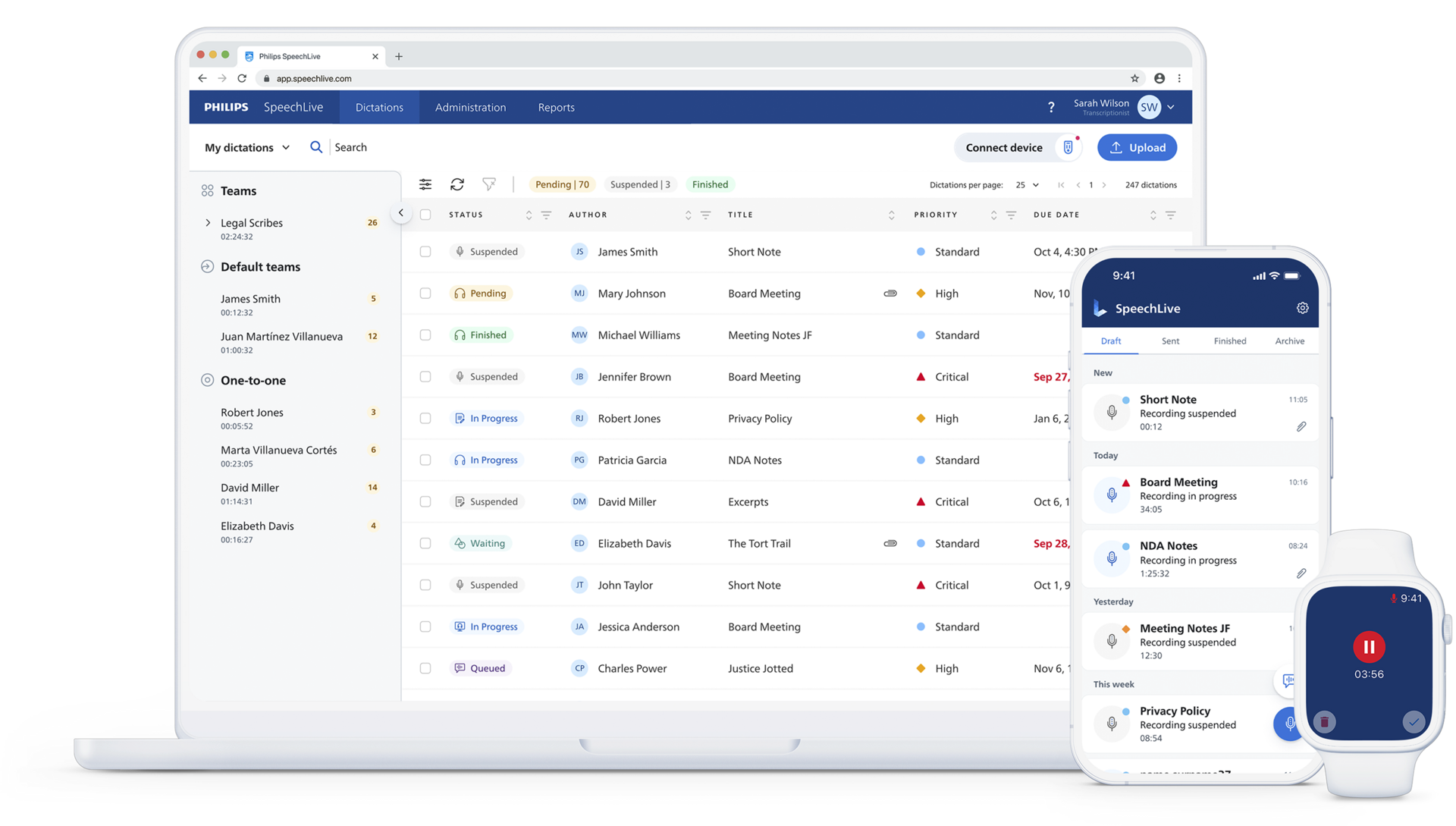
Follow the information from capture through document creation, Human-in-the-Loop review and completion.
Record directly in SpeechLive or upload a meeting, interview, dictated note, discussion or other professional recording.
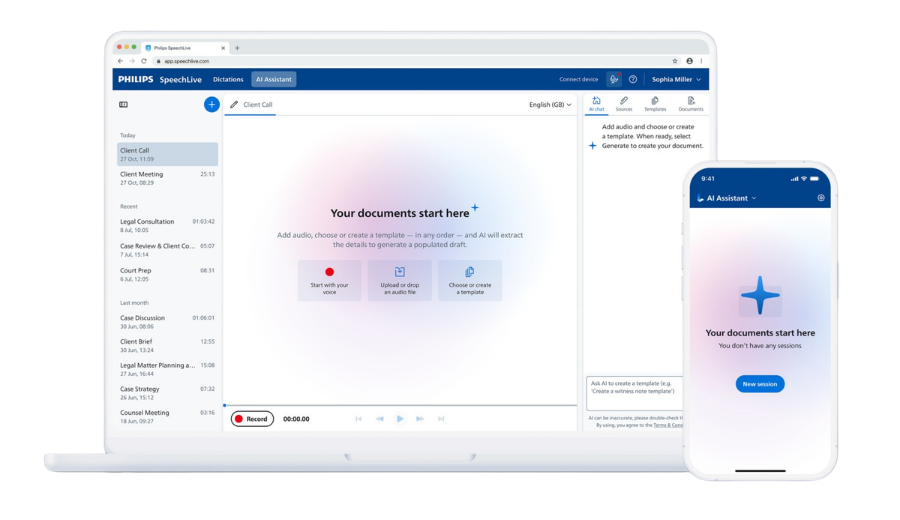
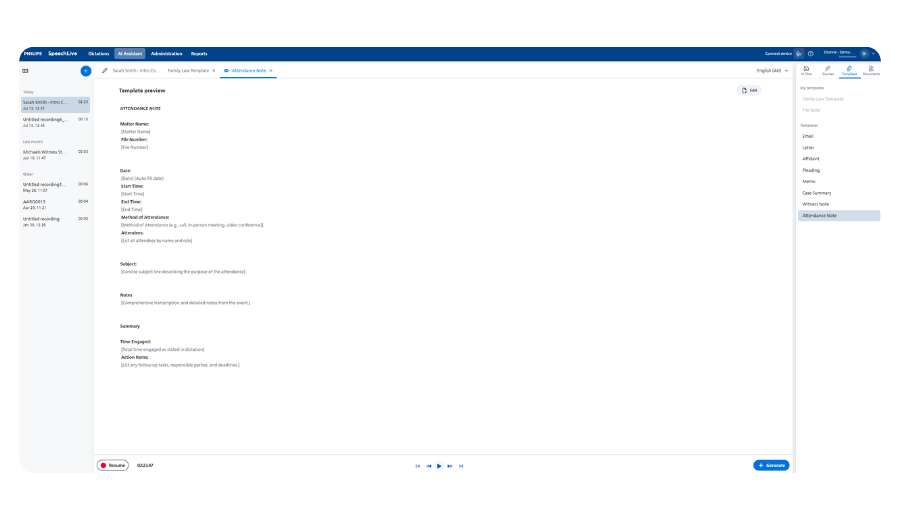
Choose a system or custom template and let Professional AI organise the relevant source information into the document structure you need.
Review the generated document alongside the original audio, transcript and supporting files before it is finalised.
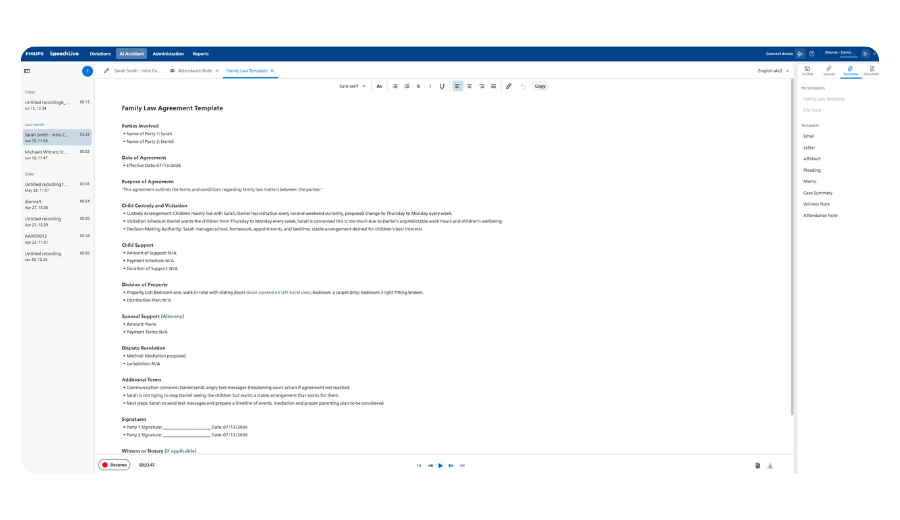
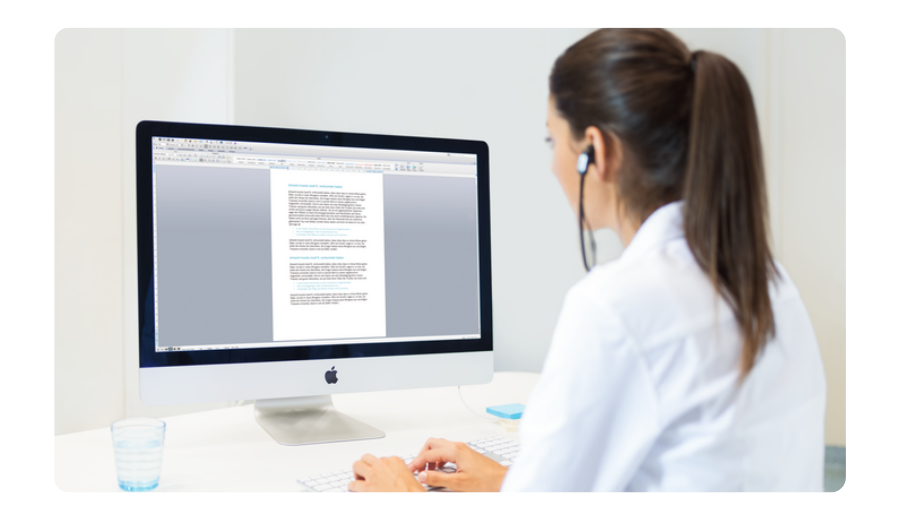
Edit and export the document yourself or keep another team member involved through SpeechLive for further review, formatting or completion.
Choose SpeechLive Professional Direct for real-time speech recognition at the cursor, with vocabulary tailored to your organisation. Choose SpeechLive Professional AI Assistant to turn spoken information and supporting files into structured document drafts. Both build on SpeechLive workflow.
Create text from live dictation, recorded audio or multi-speaker conversations.
Live dictation: create text at the cursor in supported applications.
Recorded audio: convert speech to text while retaining the source recording for review.
Multi-speaker transcription: convert meetings and interviews into speaker-separated text.
Explore SpeechLive Professional Direct →Professional AI goes beyond transcription by identifying relevant information and mapping it into the document structure you choose.
Speak naturally: you do not need to dictate the final wording.
Add supporting information: include relevant PDFs, documents or images where more context is required.
Choose the output: use a system or custom template to create the structured document.
Compare AI Scribe Solutions →Bring your source information together, choose the document you need and create different outputs without starting again from scratch.
Dictation, meeting, interview or conversation
Reference material and supporting information
Additional written or visual context
Professional AI uses the selected source material and document template to create a structured draft ready for human review.
Start with an available template, create and save your own document structure, then refine the generated draft using natural-language instructions.
Start with an available template for common professional document types.
Describe the structure you need, refine it and save the template for future work.
Use text or voice instructions to refine wording, sections and document structure before approval.
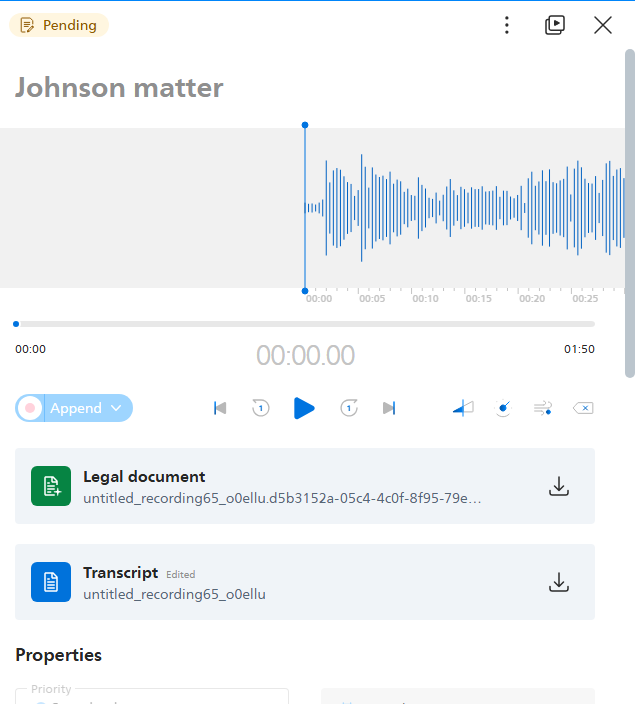
Review AI-generated documents against the original audio, transcript and supporting sources. Refine the output yourself or involve another team member before approving or using the document.
Review the source → refine the draft → approve the final document.
Keep established dictation, transcription, author and typist processes while adding SpeechLive Professional Direct for speech recognition or SpeechLive Professional AI Assistant for document drafting.
Ask VoiceX About Upgrading →Professional AI Assistant is available as part of a SpeechLive package that brings together Professional AI, AI Speech Recognition and SpeechLive Enterprise workflow.
Start a SpeechLive Trial →SpeechLive Professional AI Assistant can support documentation-heavy work across many industries. The document and template change — the underlying process remains the same.

Create evaluations, meeting summaries, institutional reports and structured education documents from spoken information.

Turn observations into site reports, inspections, design notes, assessments, project updates and technical documentation.

Prepare meeting notes, advice summaries, assessments, claim reports, file notes and supporting correspondence.

Create case notes, interview summaries, investigation records, briefings, reports and standardised public-sector documents.

Create inspection reports, property condition records, appraisal information, consultation summaries and follow-up documentation.

Transform meetings, interviews and spoken notes into reports, summaries, proposals, correspondence and follow-up documents.
Use custom templates for reports, assessments, correspondence and other structured healthcare documentation. For consultation-specific ambient scribing, compare specialist medical AI solutions.
Compare Medical AI Scribes → | SpeechLive Healthcare AI →SpeechLive Legal AI Assistant is designed specifically for legal document creation and combines SpeechLive workflow, legal speech recognition and Legal AI.
Explore SpeechLive Legal AI Assistant →
See how dictation, transcription, SpeechLive Professional Direct and SpeechLive Professional AI Assistant can work together for your organisation.
Already evaluating the wider platform? Explore SpeechLive
Choose speech recognition with a Direct module, or speech recognition and document drafting with an AI Assistant.
Speech recognition for legal work
Dictate correspondence, matter notes and legal documents directly where your cursor is flashing.
Speech recognition for business
Dictate reports, emails and business notes directly where your cursor is flashing.
Speech recognition + AI legal drafting
Turn conversations, instructions and source documents into structured legal drafts.
Includes SpeechLive Legal Direct.
Speech recognition + AI business drafting
Turn conversations, instructions and source documents into structured reports, correspondence and business documents.
Includes SpeechLive Professional Direct.
You are viewing this module.
Compare SpeechLive plans and module features · Explore SpeechLive integrations · Try SpeechLive