
SpeechLive Legal Direct
Speech recognition for legal work
Dictate correspondence, matter notes and legal documents with recognition tuned for legal terminology, citations and references.
SpeechLive Legal Direct and SpeechLive Professional Direct turn your voice into text at the cursor in supported applications. Dictate correspondence, reports and notes with the SpeechLive Desktop App for Windows and Mac, and use the included SpeechLive Mobile App away from your desk.
Compare speech recognition and AI Assistant modules · See all the ways to use SpeechLive speech recognition
Choose speech recognition with a Direct module, or speech recognition and document drafting with an AI Assistant.
Speech recognition for legal work
Dictate correspondence, matter notes and legal documents with recognition tuned for legal terminology, citations and references.
Speech recognition for business
Dictate reports, emails and business notes with Vocabulary configured for your industry terms, company names and technical expressions.
Speech recognition + AI legal drafting
Turn conversations, instructions and source documents into structured legal drafts.
Includes SpeechLive Legal Direct.
Speech recognition + AI business drafting
Turn conversations, instructions and source documents into structured reports, correspondence and business documents.
Includes SpeechLive Professional Direct.
Compare SpeechLive plans and module features · Explore SpeechLive integrations · Try SpeechLive
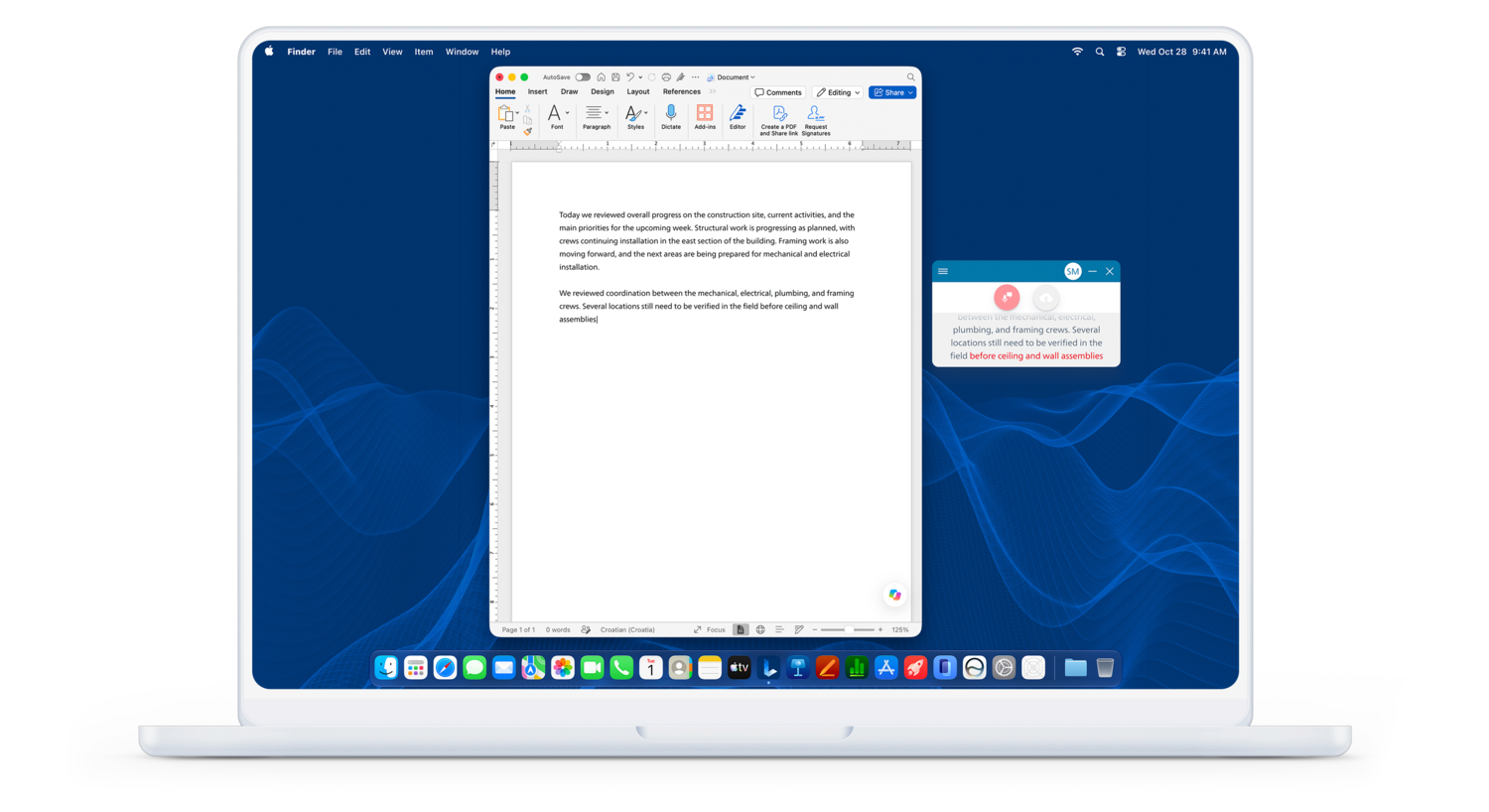
See your words appear as you speak, then navigate, select, correct and format them with ready-to-use voice commands. Say “What can I say?” to open the command reference. Vocabulary helps recognise recurring terms; Replacements turn spoken expressions into your preferred written form, such as “service level agreement” into “SLA”.
Choose automatic or spoken punctuation, or capture live discussions with multi-speaker recognition, speaker labels and timestamps. Direct creates text from what you say; the separate AI Assistant options add structured document drafting from instructions and supporting material.
At-cursor dictation and voice control use the desktop app, an active internet connection and a compatible microphone. Use Windows 11 or an Apple Silicon Mac for the redesigned app; version 4.0.0 onwards does not support Intel Macs. VoiceX does not support products running on Windows 10 following the end of Microsoft standard support.
All SpeechLive Pro and SpeechLive Enterprise accounts, both trial and paid, including author and typist accounts, receive 200 free minutes in total per user to try SpeechLive Legal Direct or SpeechLive Professional Direct speech recognition. This is also included in Pro and Enterprise workflow trials. The minutes do not expire until consumed, as long as the account used for the trial remains active. This is a total trial allowance, not a monthly allocation.
SpeechLive brings dictation and transcription into a shared cloud workflow. Explore the SpeechLive platform, or view the SpeechLive Pro 12-month subscription for your team's workflow foundation.
Shop SpeechLive Pro + SpeechLive Legal Direct · Shop SpeechLive Pro + SpeechLive Professional Direct
For legal teams, explore the complete SpeechLive Legal document creation workflow, connecting dictation and transcription with Legal Direct and the Legal AI Assistant.