Legal AI Assistant with traditional dictation, transcription and speech recognition
All-in-one Australian-hosted environment
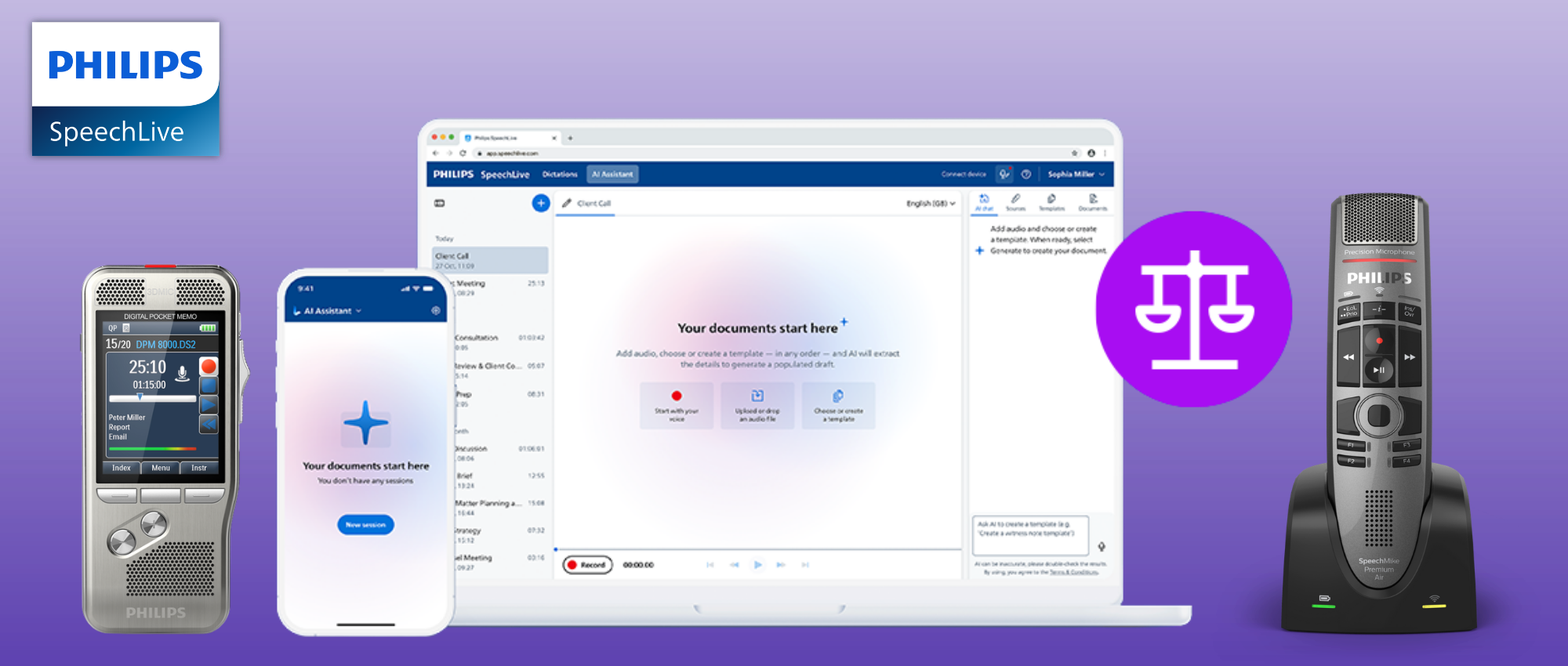
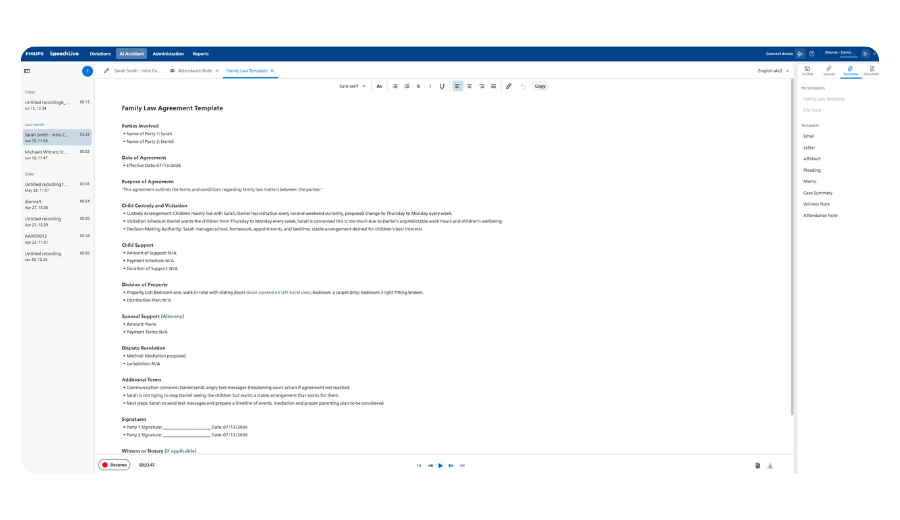
SpeechLive Legal AI Assistant brings ambient legal AI into the existing Philips SpeechLive platform, giving law firms one place to record, dictate, upload audio, transcribe, generate legal documents and review work before it is finalised.
It supports legal teams working from Windows or Mac, in the office, from home or across multiple locations, without forcing lawyers, typists and assistants into separate systems for dictation, speech recognition and AI document creation.
VoiceX supplies, implements and supports SpeechLive solutions across Australia and New Zealand.

One place to create, check and finalise legal documents
SpeechLive Legal AI Assistant offers the latest in ambient AI scribe technology, specifically designed for legal professionals, and brings everything together in one simple platform: dictation, transcription, speech recognition and AI-generated documents working together, so lawyers, typists and legal assistants can check the audio, transcript and final document before anything is approved or sent.
One solution for all document creation
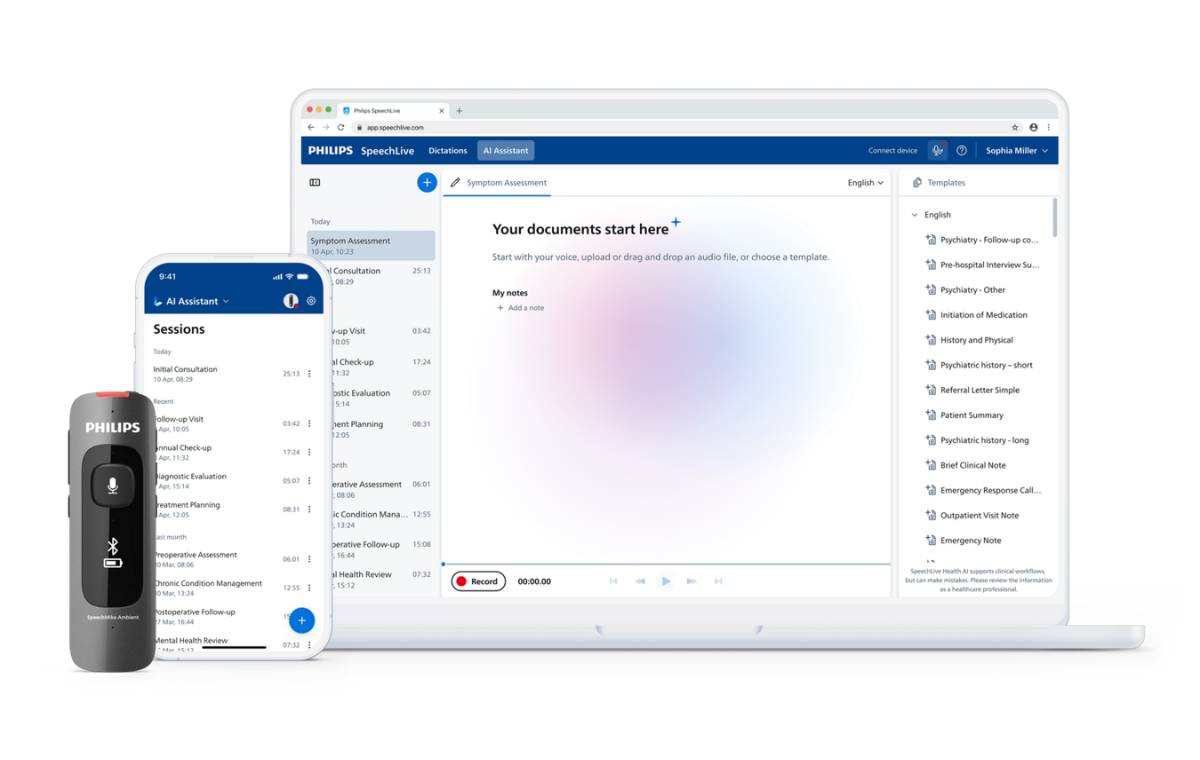
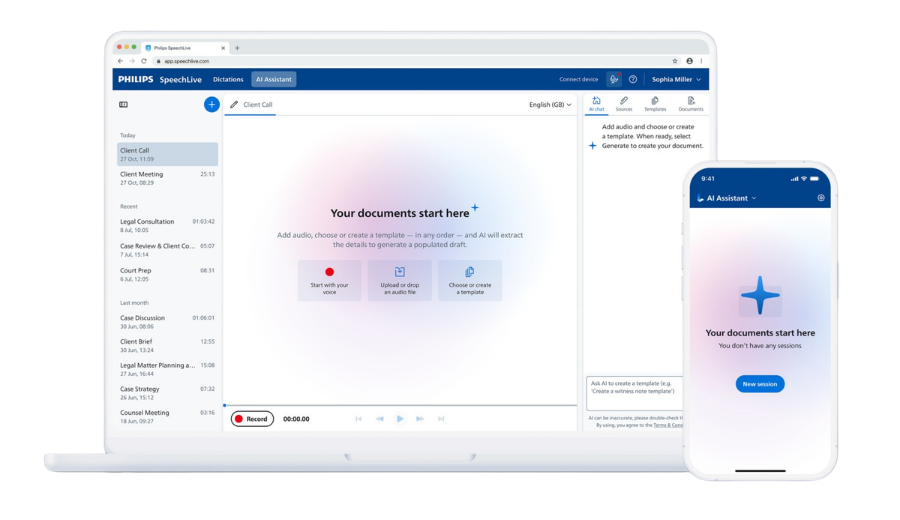
Bring legal dictation, transcription workflow, browser access, mobile dictation, uploaded audio, speech recognition and ambient AI document creation together inside SpeechLive.
From audio to structured documents
Turn client meetings, teleconferences, dictations, witness interviews and matter discussions into structured legal documents based on your custom templates.
Keep people in control
The original audio, verbatim transcript and AI-generated document stay together within the SpeechLive workflow, so work can be checked by the author, legal assistant, PA or typist before it is downloaded or entered into your document management system.
How SpeechLive Legal AI Assistant supports document creation
SpeechLive Legal AI Assistant supports the full path from the spoken word to a reviewed and completed document output — all in your custom style and template format.
Capture or upload audio
Record a dictation, client meeting, interview, phone call or matter discussion, or upload an existing audio file.
Create the transcript
Use SpeechLive speech recognition and transcription tools to create a verbatim transcript from the source audio.
Generate the document
Use Legal AI Assistant to create structured legal document output from the same audio and transcript.
Review and finalise
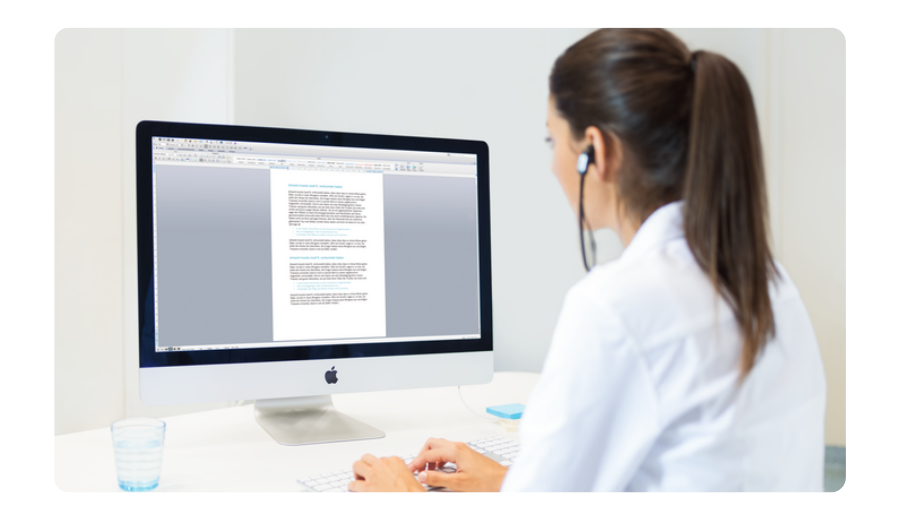
The author, legal assistant, PA or typist can check the audio, transcript and document before the work is approved or sent.
One audio source.
Multiple legal outputs.
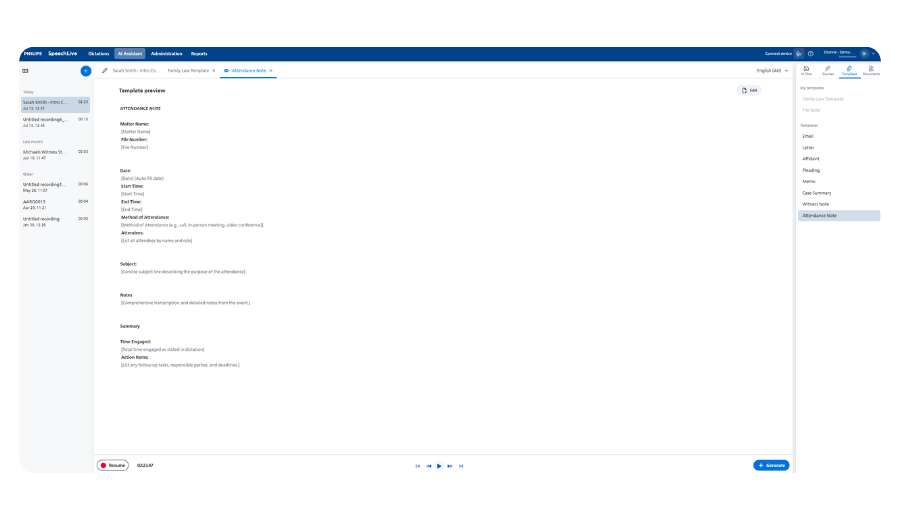
A single recording may contain instructions, client history, advice, next steps, matter context and follow-up actions. With SpeechLive Legal AI Assistant, that same audio can support different document outputs, such as a file note, attendance note, case summary, witness note, memo, letter, email or affidavit draft.
Rather than separating the audio, transcript and AI document into different tools, SpeechLive keeps the job together so the team has a clearer view of the work being created.
Show the complete job, not just the final document
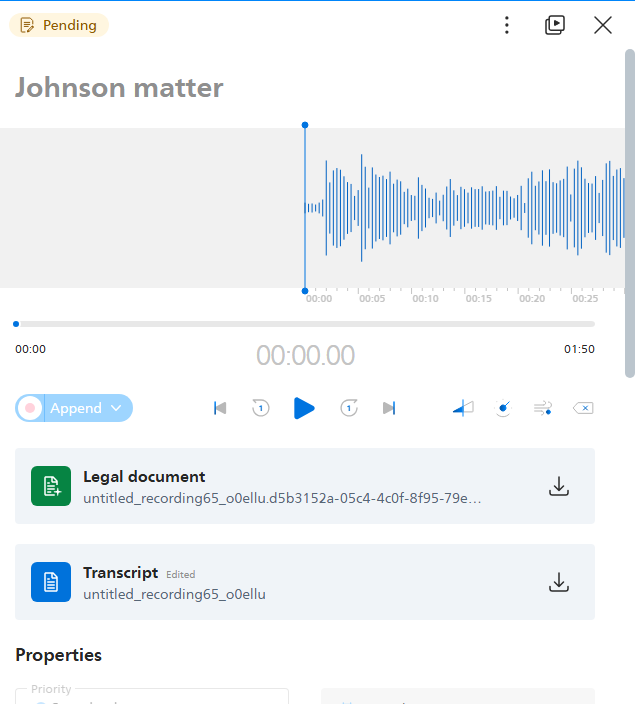
This section is designed for screenshots showing the different outputs from one audio source. This will help buyers see how SpeechLive keeps the source audio, transcript and AI-generated document together for review.
Source audio
The original recording remains available as part of the job, giving the reviewer access to the original source material.
Verbatim transcript
The transcript provides a clear reference point for checking what was said before the document is finalised.
AI document output
The legal document draft can be reviewed, corrected and completed by the author or support team.
See how legal AI works inside SpeechLive
A short demo video will help law firms quickly understand the difference between a stand-alone AI note tool and an all-in-one SpeechLive document creation platform.
Use this area to show how a legal user can capture audio, generate a transcript, create an AI-assisted document and pass the job through review before the final version is used.
What is included in SpeechLive Legal AI Assistant?
SpeechLive Legal AI Assistant includes the core SpeechLive Pro or SpeechLive Enterprise document creation environment, plus speech recognition and ambient legal AI scribe document creation.
| Feature | Included | What it supports |
|---|---|---|
| Browser-based access | Yes | Work from compatible Windows or Mac computers without being tied to one workstation. |
| Mobile dictation | Yes | Dictate and record audio via the included SpeechLive Mobile App or a dedicated dictation recorder |
| Uploaded audio | Yes | Automatically upload pre-recorded audios, such as phone calls, court recordings, meetings, interviews or matter discussions. |
| Traditional dictation | Yes | Support traupload pre-recorded additional author dictation for letters, notes, advice, memos and other legal documents. |
| Traditional dictation | Yes | Professional audio transcription features for manual typing or proofreading, including foot control compatibility. |
| Verbatim Speech Recognition | Yes | Convert spoken legal work into text to support transcript creation and faster document preparation from pre-recorded dictation or at-cursor - live and direct into any application |
| Ambient legal AI scribe | Yes | Generate structured legal document drafts - into your custom templates - from recorded or uploaded audio |
| Template creation | Yes | Create or choose templates using built-in AI Chat, with options for firm or user-specific document needs. |
| Review and approval | Yes | Keep the original audio, transcript and AI-generated output together for checking before finalisation. |
| Author and typist roles | Yes | Support the way many firms already work, with lawyers creating work and support staff assisting with completion. |
| SpeechLive Pro foundation | Yes | Use the core SpeechLive Pro tools for cloud dictation, transcription, and audio management. Perfect for sole practitioners or small practices |
| SpeechLive Enterprise options | Yes | Use SpeechLive Enterprise for larger firms that need advanced administration, reporting, and user management. |
Why choose between dictation and an AI scribe?
Most AI scribes are literally just that.
An AI scribe.
SpeechLive Legal AI Assistant is different.
SpeechLive allows lawyers to traditionally dictate and send for audio transcription, use speech recognition directly in any application, and automatically create templated legal documentation via AI, while legal assistants, PAs and typists can remain involved in checking, correcting and completing the work, or use the included traditional transcription tools when required.
SpeechLive allows you to create a scalable solution that gives your power users all the tools, whilst keeping things simple for users who just want simple dictate/transcribe features - all on the one platform.
A better fit for legal teams
- Lawyers can continue using dictation and recorded instructions.
- Typists and legal assistants can review work before finalisation.
- The original audio and transcript support checking and quality assurance.
- Firms avoid running separate systems for dictation, transcription, speech recognition and AI drafting.
Australian hosting and SpeechLive security approach
SpeechLive is hosted on Microsoft Azure and follows the SpeechLive data security and privacy approach for cloud dictation, transcription, speech recognition and AI Assistant services.
For Australian and New Zealand firms, VoiceX can help confirm the current SpeechLive hosting, security and privacy details before rollout, including data storage region, encryption, authentication options and AI processing arrangements.
Keep detailed security claims aligned with the current SpeechLive security documentation and final Australian release notes for SpeechLive Legal AI Assistant.
Who this is built for
SpeechLive Legal AI Assistant suits firms that want a practical way to bring AI into legal document creation without replacing the people and processes that already protect document quality.
Law firms using dictation and transcription
A strong fit for firms that already use authors, typists, legal assistants or PAs to create and review legal documents.
Firms looking beyond stand-alone AI tools
Useful for practices that want AI document creation connected to audio, transcript, workflow and review rather than sitting in a separate system.
Teams working across locations
Ideal for firms that need browser-based access from Windows or Mac, with support for office, home and multi-location work.
Already using SpeechLive?
VoiceX can help you prepare your current SpeechLive environment for Legal AI Assistant, including author and typist roles, mobile dictation, uploaded audio, templates and review pathways.
New to SpeechLive?
Start with SpeechLive for legal dictation, transcription workflow, speech recognition and audio management, then add Legal AI Assistant when it launches in Australia.
Prepare your firm for SpeechLive Legal AI Assistant
SpeechLive Legal AI Assistant is planned for launch in Australia in July 2026. VoiceX can help law firms understand the solution, prepare their SpeechLive setup and register interest before release.